Context
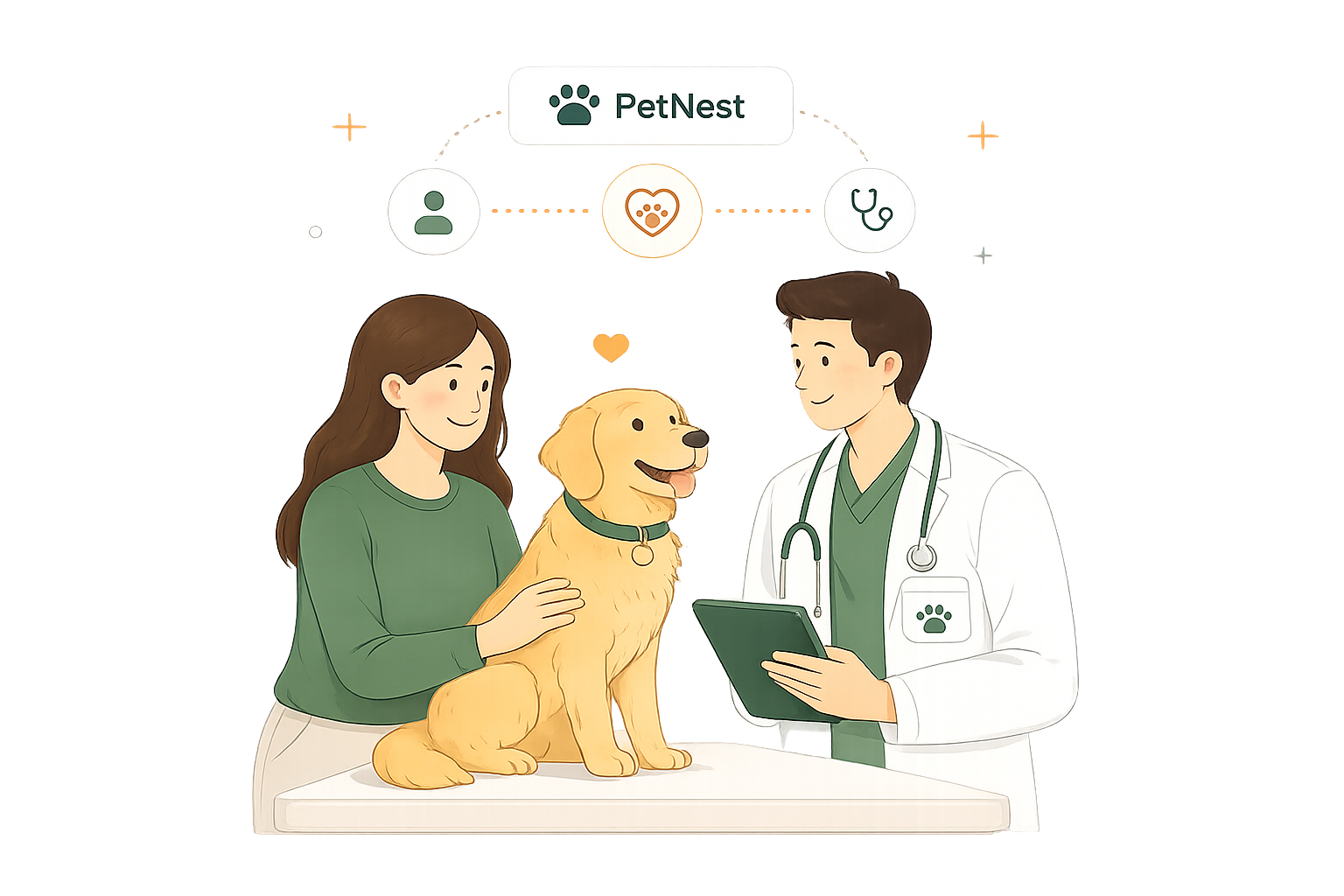
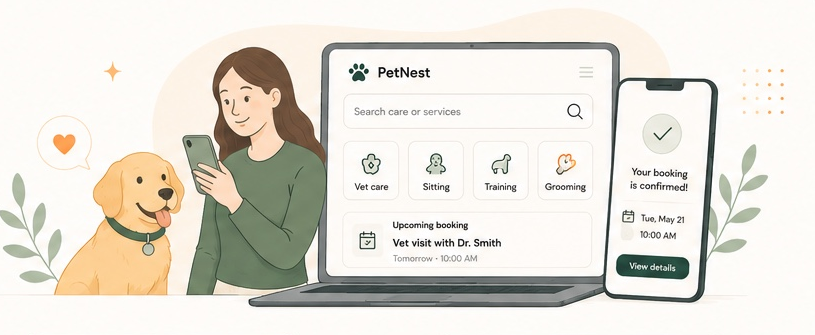
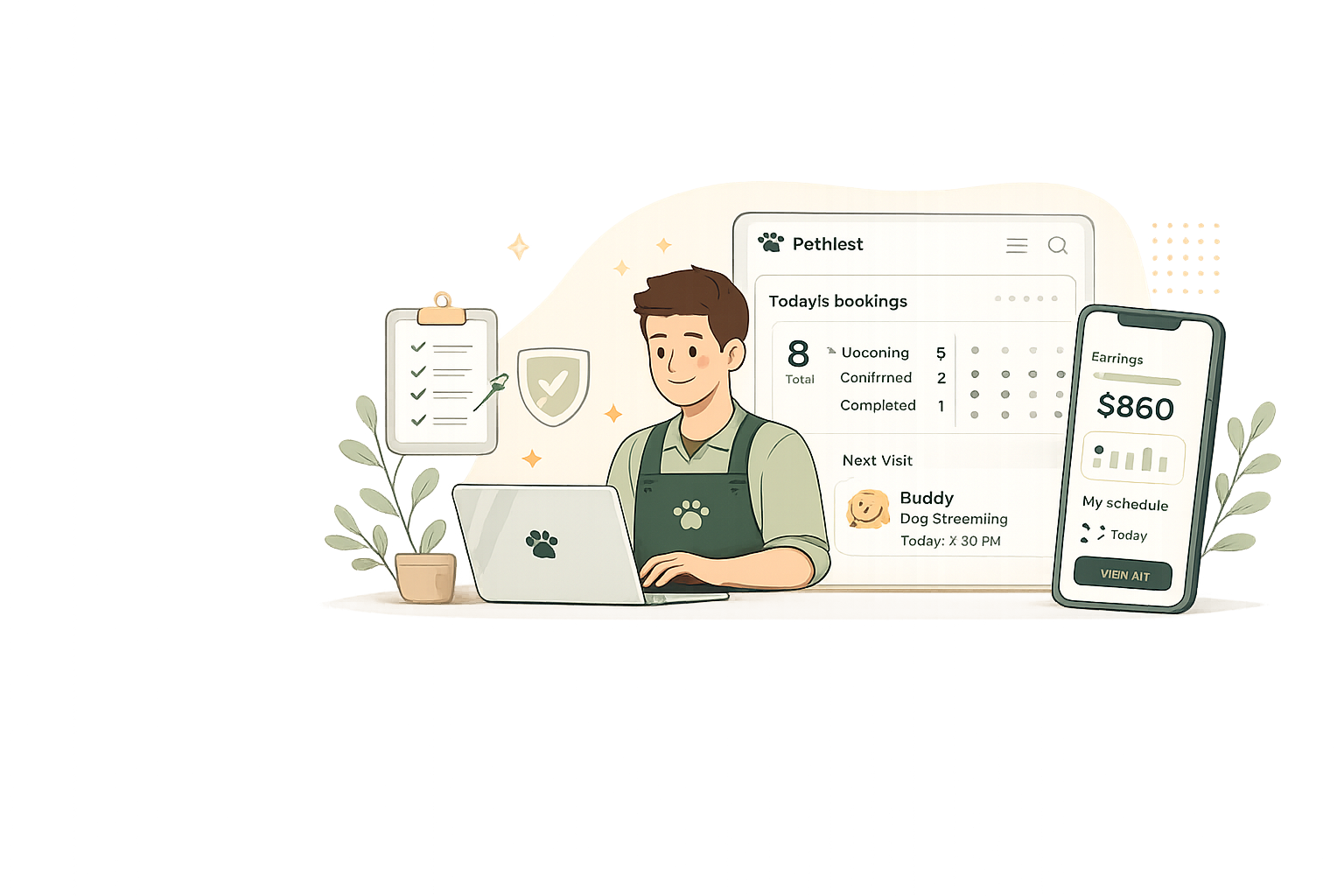
PetNest connects pet owners with verified veterinarians, groomers, sitters, and trainers for at-home and on-site care, supporting both regular and urgent needs.
UX/UI Case Study
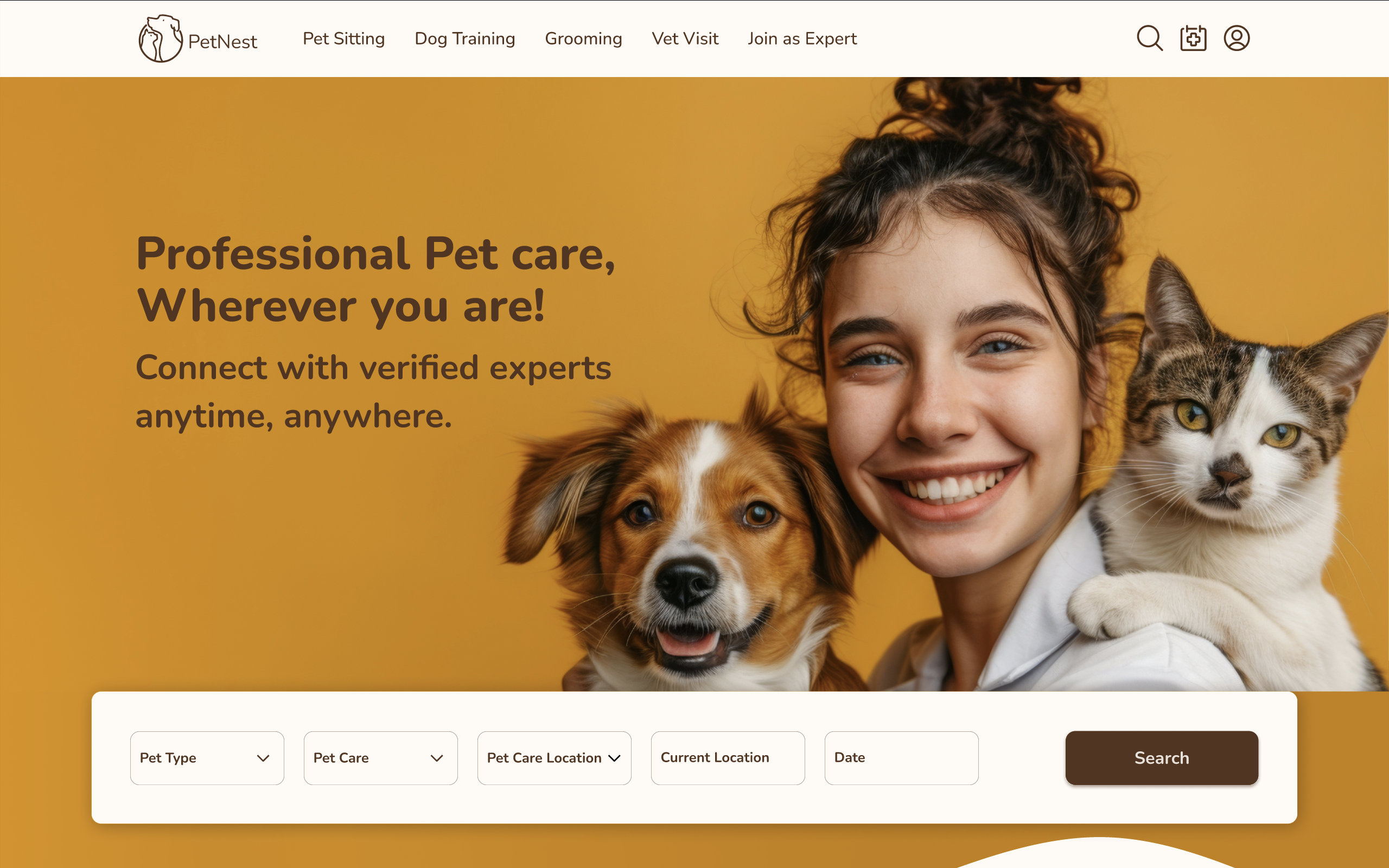
A two-sided pet-care platform: a responsive web experience for pet owners and a mobile-first workspace for trusted service providers.
Designed an end-to-end experience that helps pet owners find trusted care quickly while enabling providers to manage bookings efficiently.
Project Overview
PetNest connects pet owners with verified veterinarians, groomers, sitters, and trainers for at-home and on-site care, supporting both regular and urgent needs.
As lead UX/UI designer, I guided the full lifecycle across the pet-owner web experience and provider mobile app, from research and information architecture to prototyping, testing, and high-fidelity UI.
I worked within a three-designer team, aligning research, product structure, interaction patterns, and visual delivery across two connected user experiences.
Resolve low trust, fragmented services, confusing booking flows, and disconnected provider tools without making a broad care ecosystem feel overwhelming.
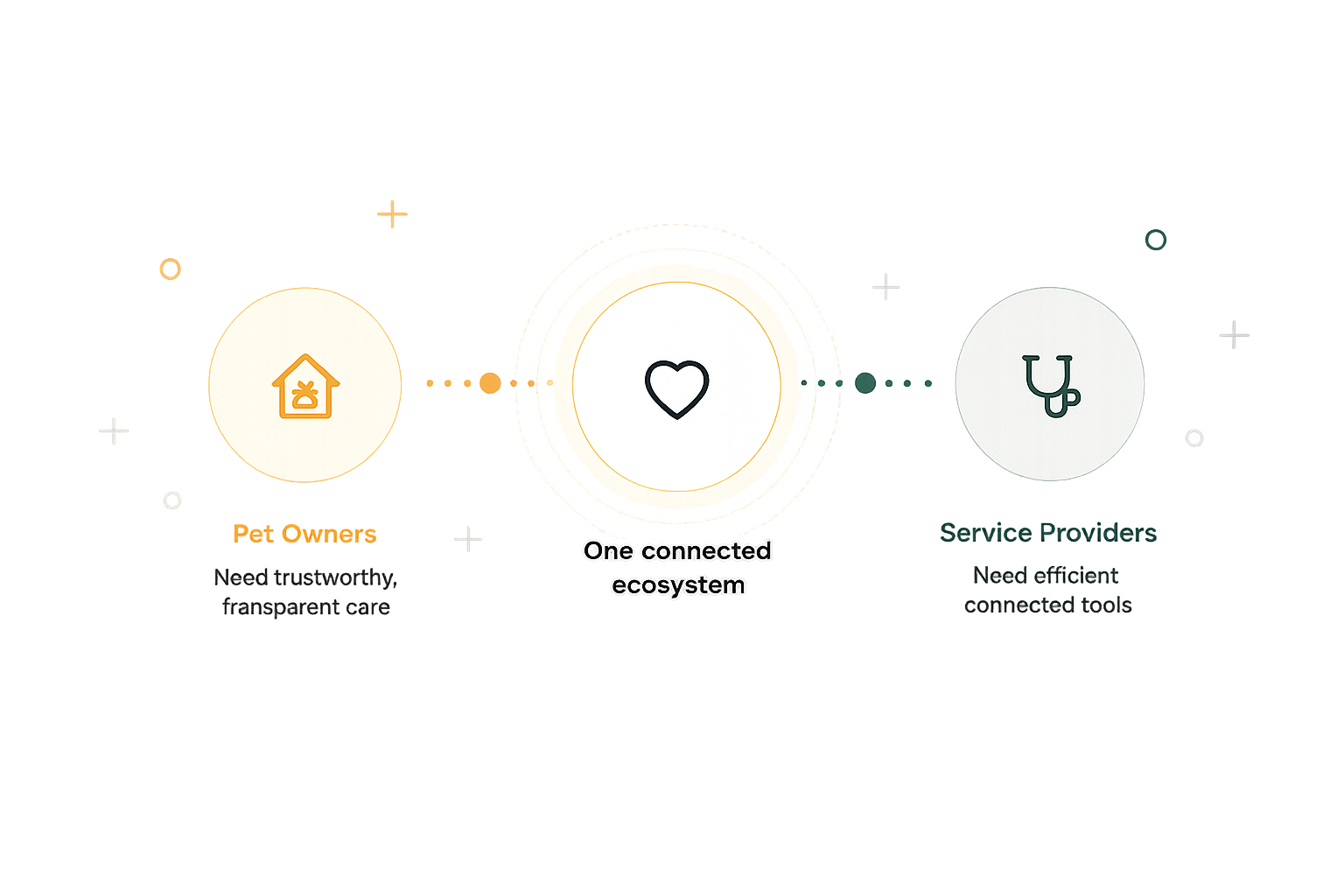
One connected service ecosystem: owners can discover and book care through the web, while providers can manage profiles, availability, communication, and appointments through mobile.
Problem
Pet care today is scattered and inconsistent. Owners struggle to find trusted care, and providers struggle to reach and manage clients effectively.
Finding verified, trustworthy experts required searching across multiple platforms.
Booking regular, urgent, and at-home care was complicated and inconsistent.
Pricing, service details, real-time availability, and provider communication were often unclear.
Experts had limited visibility and difficulty reaching the right clients.
Bookings, availability, client communication, and service types lacked one unified system.
Credentials, reviews, and trust signals were difficult to present clearly.
When care is urgent or emotionally important, fragmented tools create stress for owners and operational friction for providers. PetNest needed to make both sides feel informed, visible, and in control.
Goals
Connect pet owners and professionals through a seamless, flexible experience while giving each audience the tools they need most.
Pet Owner Web
Provider Mobile
Our goal is simple: create a connected ecosystem where pet owners find trusted care effortlessly and providers can run their services with confidence and ease.
Double Diamond · Discover
We combined qualitative and quantitative research across Europe to understand how pet owners find care and how providers manage their work.
Our Approach
Understand the needs, behaviors, and motivations of both pet owners and service providers.
Synthesize insights and identify key problems and opportunities.
Explore ideas and solutions that address real user needs.
Prototype intuitive flows and interfaces tailored to each audience.
Validate with real users and refine continuously for the best experience.
Research
We focused on trust, urgent care, booking behavior, provider visibility, and the operational needs behind service delivery.
Pet owners across France, Germany, and other European markets helped validate early assumptions.
Zoom interviews with pet owners and veterinary professionals aged 28–45 uncovered goals, frustrations, and expectations.
Rover, Pawshake, PetBacker, and Wag were compared across features, trust patterns, filters, and service coverage.
Survey highlights
Affinity synthesis
We grouped recurring needs around trust, emergency access, transparent pricing, flexible scheduling, language, location, and simpler booking.
Market gap
Competitors offered useful discovery or sitting services, but lacked the breadth, filtering, urgent-care support, and provider tools required for one connected ecosystem.
Define · Pet-owner persona
Research patterns were synthesized into a shared persona representing busy, multi-pet households seeking reliable care without added complexity.

Busy professionals · Paris, France
We love our pets, but finding trusted, available help, especially in an emergency, feels almost impossible.
Liz, 34, is a marketing manager and Daniel, 36, is a software engineer. They care for Misha, an anxious Golden Retriever, and Luna, a rescued kitten recovering from health issues.
Goals
Needs
Pain points
Define · Service-provider persona
Provider research revealed a need for one mobile workspace that reduces administration without limiting how professionals deliver care.

Veterinarian · Paris, France
Managing different clients, schedules, and locations gets overwhelming. I need a simple way to organize my time and build trust with pet owners.
Sam, 40, has more than 10 years of veterinary experience. He balances clinic appointments with regular and urgent at-home visits across Paris.
Goals
Needs
Pain points
Problems & hypotheses
The personas revealed distinct but interdependent challenges. We defined each problem separately, then formed hypotheses for a unified experience.
Pet owners
Defined problemOwners move between multiple services, lack clear trust signals, and struggle to book urgent or at-home care with transparent information.
If owners can compare verified professionals, use clear urgency, location, and pet-type filters, and follow a simple booking flow, they will feel more confident and in control.
A trustworthy, less stressful care experience.
Service providers
Defined problemProviders manage bookings and communication across separate channels, with limited visibility and schedules that cannot adapt to different visits.
If providers have centralized booking and communication, customizable schedules, verified profiles, and client reviews, they can manage work more effectively and build trust.
Less administration and more time for quality care.
Card sorting
We ran separate card-sorting exercises with pet owners and service providers. Their groupings clarified how each audience expected to find care, organize services, and manage appointments.
Before
After
Pet owners
Owners started with the type of care, then looked for urgent vs. routine options, specific locations, and filters for their pet’s needs.
Service providers
Providers grouped services by expertise, then organized by availability, locations, and different types of visits.
Design implication
The navigation needed parallel structures: discovery by care type for owners, and service management by expertise, location, and availability for providers.
Pet owners journey
Provider journey
Key Insights
Synthesizing research across pet owners and service providers helped us define four guiding principles for a unified experience.
Insight 01
Verified credentials, reviews, pricing, and availability must be visible at the decision point.
Build confidence with transparencyInsight 02
Routine and last-minute needs require distinct journeys with less searching and fewer decisions.
Speed matters in critical momentsInsight 03
Owners prefer centralized discovery and booking instead of moving between separate service apps.
Simplify to reduce mental loadInsight 04
Flexible scheduling, visibility, communication, and service management are essential to reliable delivery.
Tools that adapt to real workflowsHow Might We
We transformed the research findings into actionable design opportunities that guided every design decision.
01
How might we help pet owners identify the right care option with confidence?
Trust & Confidence02
How might we create distinct journeys for urgent needs with less searching and fewer decisions?
Urgency & Efficiency03
How might we create continuity between expert discovery, booking, and ongoing care?
Continuity & Care04
How might we keep a broad service ecosystem clear across web and mobile?
Clarity & AccessibilityInformation Architecture
We structured the PetNest website to help pet owners easily discover care, book with confidence, and stay connected throughout their pet’s journey.
Mobile application sitemap
The mobile structure brings urgent and routine care forward, while persistent navigation keeps the main tasks within reach.
The most important tasks are one tap away.
Services, booking, and support are easy to reach.
A simple structure reduces effort and builds confidence.
Persistent navigation
Pet-owner task flow
The task flow captures the primary outcome at a glance before showing the decisions and alternative paths in the full user flow.
Highlight the primary goal before the details.
Fewer steps between search and confirmation.
Each step moves owners closer to the right care.
Pet-owner user flow
The detailed flow supports exploration before sign-in, optional result refinement, account access at the moment of commitment, and post-booking control.
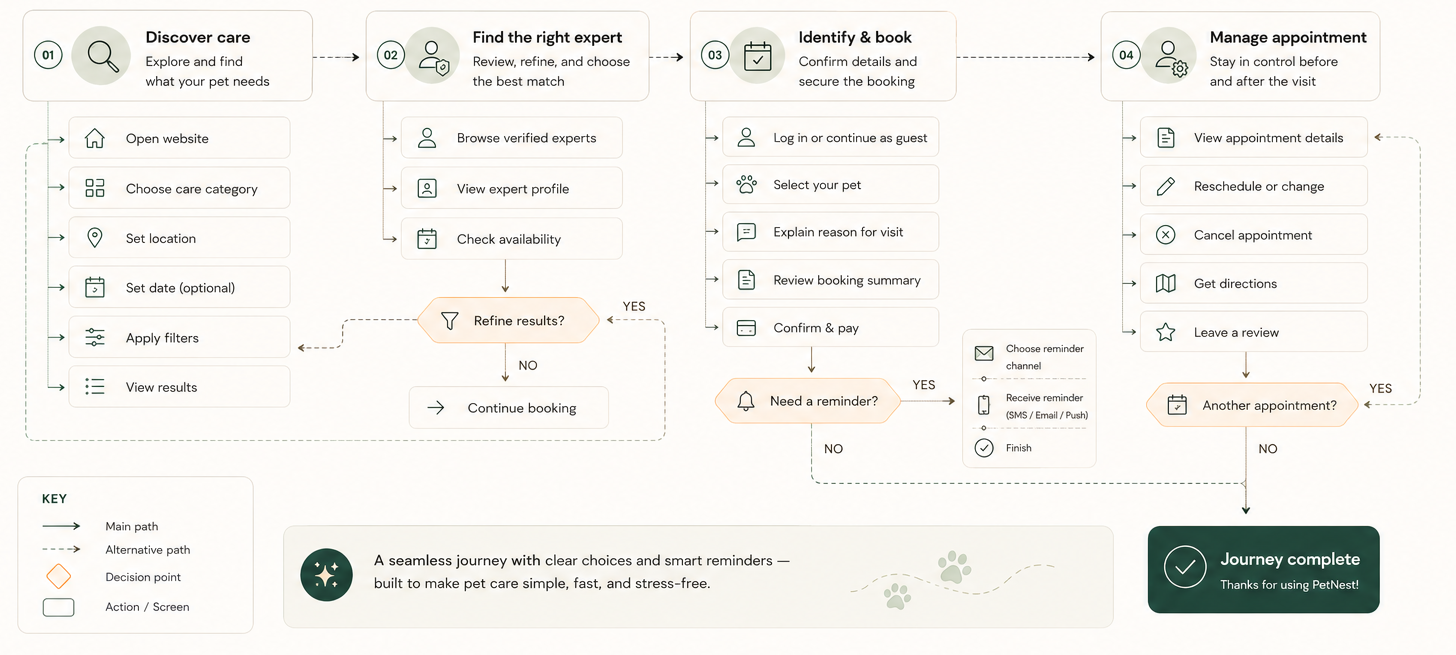
Explore and find what your pet needs
Review, refine, and choose the best match
Apply more filters and return to updated results
Continue booking
Confirm details and secure the booking
Choose reminder channel
Receive reminder (SMS / Email / Push)
Finish
Stay in control before and after the visit
Return to appointment details
Finish the journey
Service-provider user flow
The mobile flow supports returning and new providers, flexible schedule setup, professional verification, and both automatic and manual booking confirmation.
Card-sorting findings led to one shared filter pattern on the website and a task-focused mobile home. Both structures prioritize care discovery and booking while keeping appointments, profiles, urgent support, and secondary content easy to reach.
Design Exploration
Early exploration compared entry points, booking patterns, onboarding steps, and dashboard structures before committing to detailed interface design.
Explore
We translated the main user flows into quick screen sequences for both audiences.
Compare
Alternative layouts helped prioritize search, booking, onboarding, and dashboard actions.
Refine
Promising concepts moved forward only when the next action remained clear.
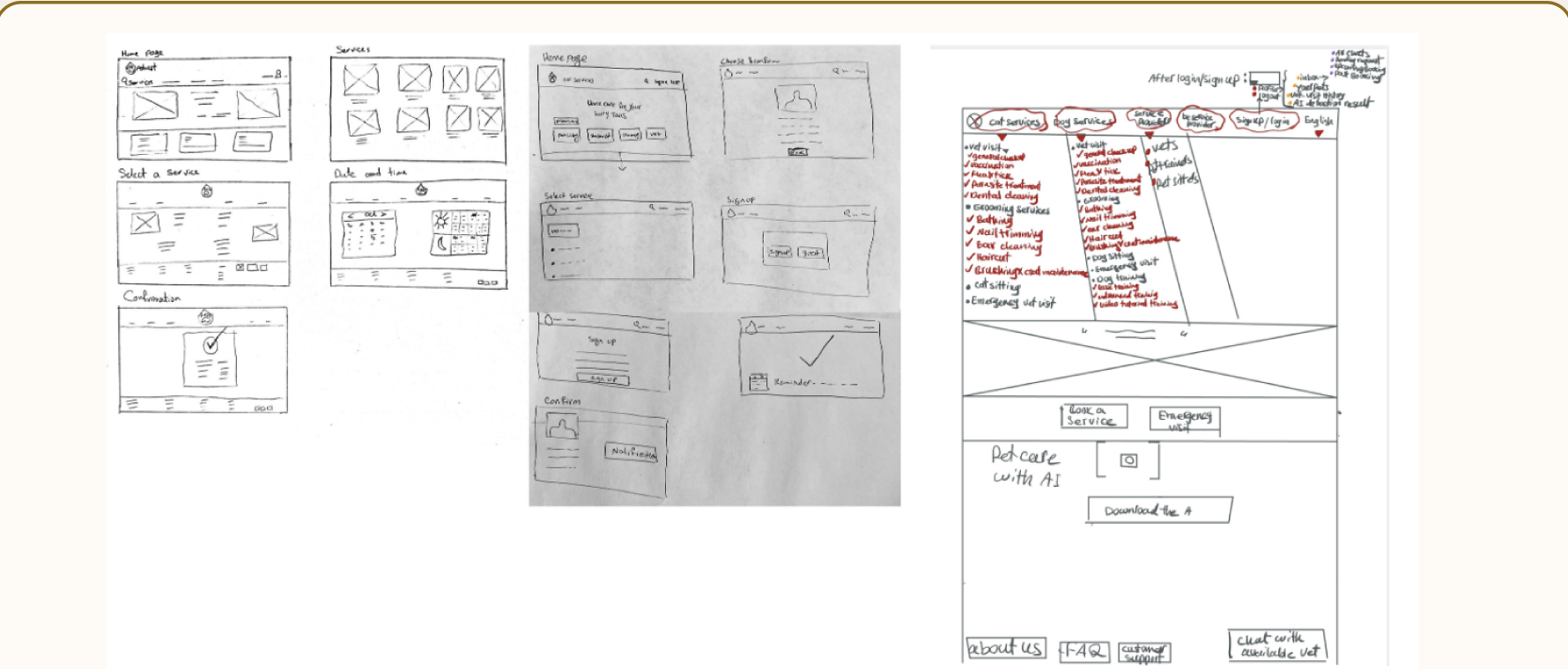
Sketching & wireframing
Quick sketches helped us validate structure, hierarchy, and sequence before moving into Figma. The focus was clarity and iteration rather than visual detail.
Explore ideas and structures quickly.
Keep the user path simple and obvious.
Refine what works, remove what does not.
UI Design
The interface combines approachable visual language with structured information, helping PetNest feel supportive without losing clarity or credibility.
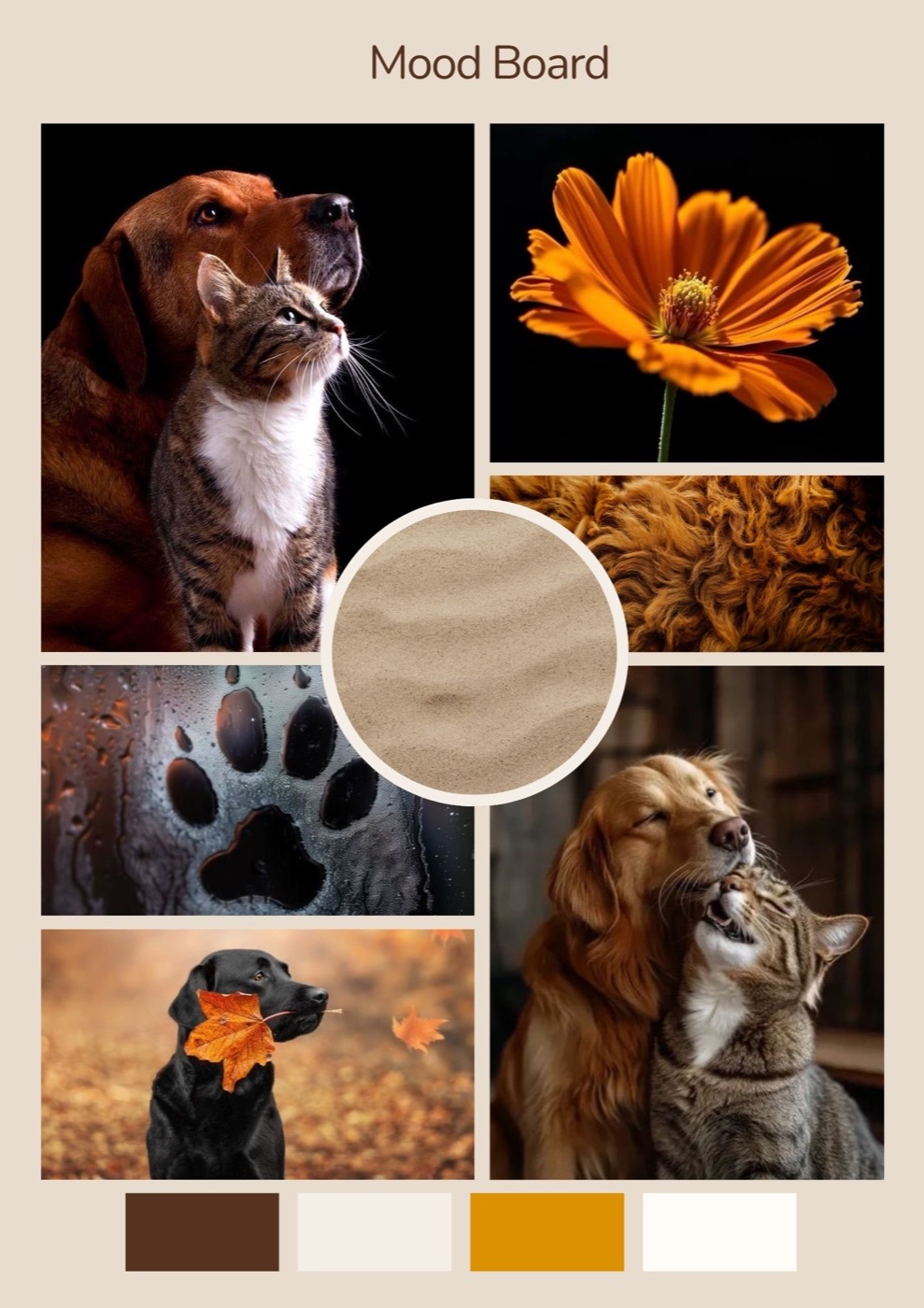
Mood board
The visual direction started with nature-inspired neutrals: calm beige, soft grey, and warm brown. Early tests felt clean but too quiet. Adding golden orange shifted the feeling immediately; users described the interface as alive, friendly, and comforting.
Color palette
Golden orange adds friendliness and energy, while dark brown, soft cream, stone, and tan keep the interface calm and credible.
Typography
Mobile adjustment: reduce heading sizes by 4-6px for smaller screens.
Icon set
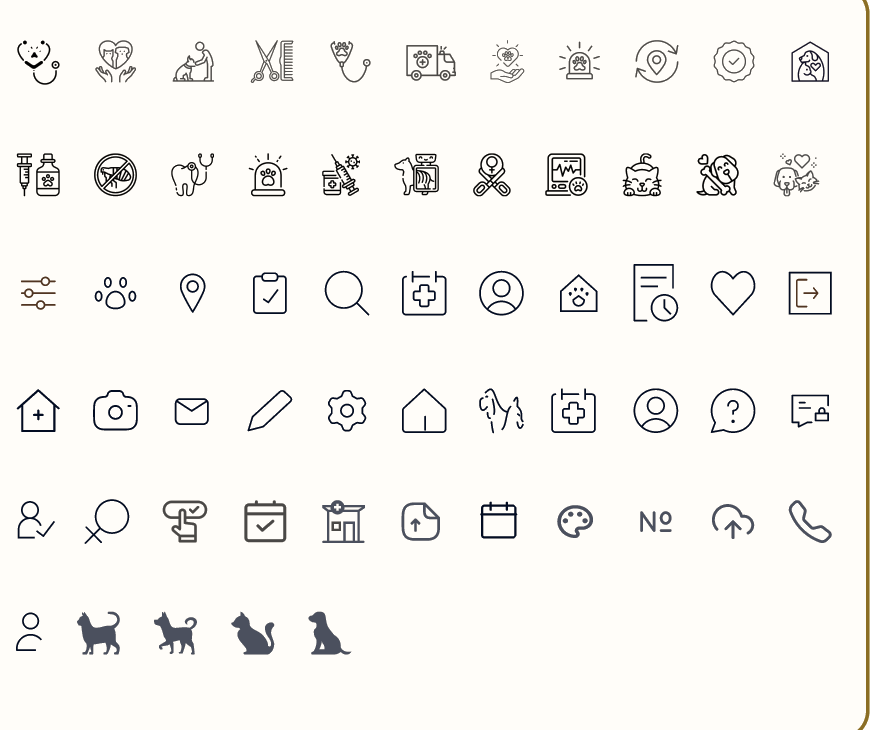
The set uses rounded strokes and simple pet-care metaphors so service categories, booking states, and account actions stay easy to scan.
Accessibility
Dark text on cream and stone combinations met AA/AAA goals; orange was reserved for buttons, icons, and highlights.
Prototype
The prototype was split by audience: a responsive web flow for pet owners and a mobile app flow for service providers.
Web prototype · Pet owners
The web prototype focuses on helping owners compare services, evaluate trusted experts, choose a pet profile, and complete a booking without losing context.
Key interactions: clear filters, visible trust signals, saved pet profiles, progress feedback, and confirmation states.
Mobile app prototype · Service providers
The provider app prototype supports professional setup, flexible availability, verification, appointment requests, and daily care management.
Key interactions: guided onboarding, schedule controls, verification feedback, request review, and dashboard status changes.
Usability Testing
The first homepage test focused on whether pet owners could quickly understand what PetNest offers, where to start, and how to move toward trusted care.
Pet owner web · Homepage
The homepage evolved from a broad marketing page into a task-oriented entry point with clearer search, stronger hierarchy, and more scannable service information.
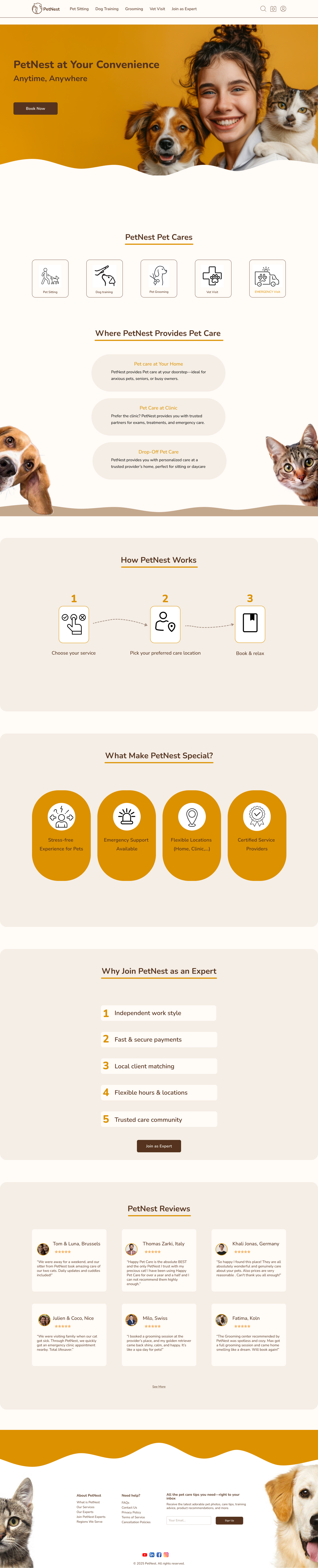
The homepage introduced the brand, but the first action was not clear. Service options, location choices, and booking intent were separated across the page.
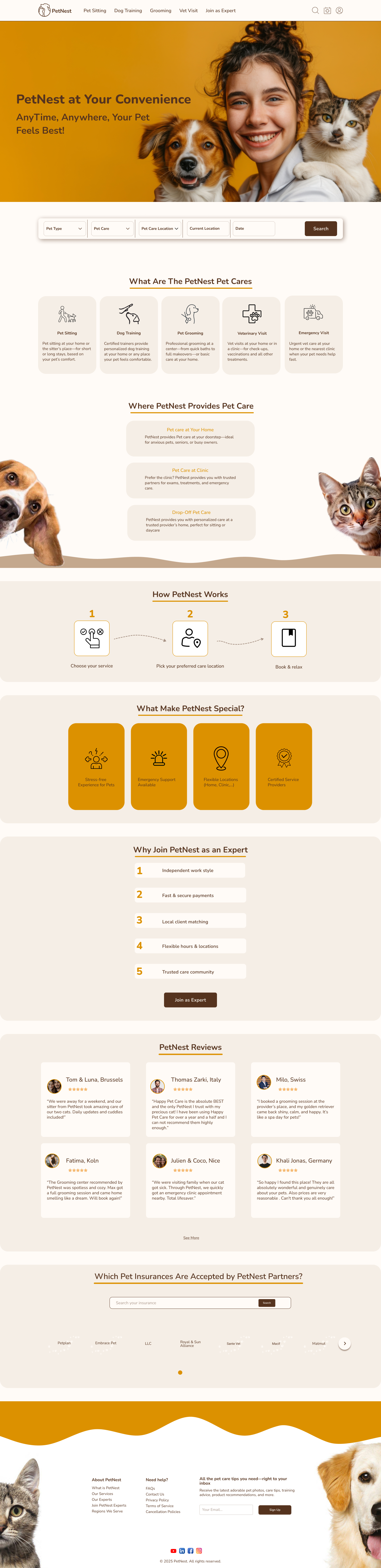
A search bar was added below the hero and service cards gained descriptions, making the care categories easier to compare.
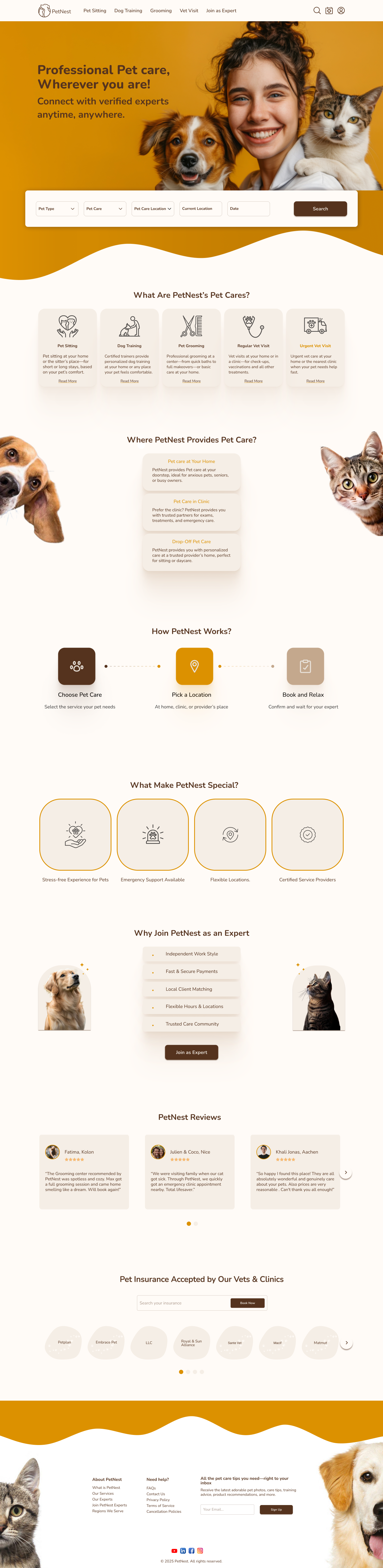
The final version places search in the hero, sharpens the value proposition, improves spacing, and turns the homepage into a clearer path from need to booking.
Search moved from absent, to secondary, to a prominent hero-level action so owners can begin immediately.
Service cards became more descriptive, with clearer labels and supporting copy for pet sitting, grooming, vet visits, and urgent care.
The final homepage uses more whitespace, simplified sections, and stronger visual grouping to reduce scanning effort.
Pet owner web · Vet visit filtering
The vet visit filtering flow moved from a long setup page into a faster browsing experience where owners can adjust key criteria without losing sight of available experts.
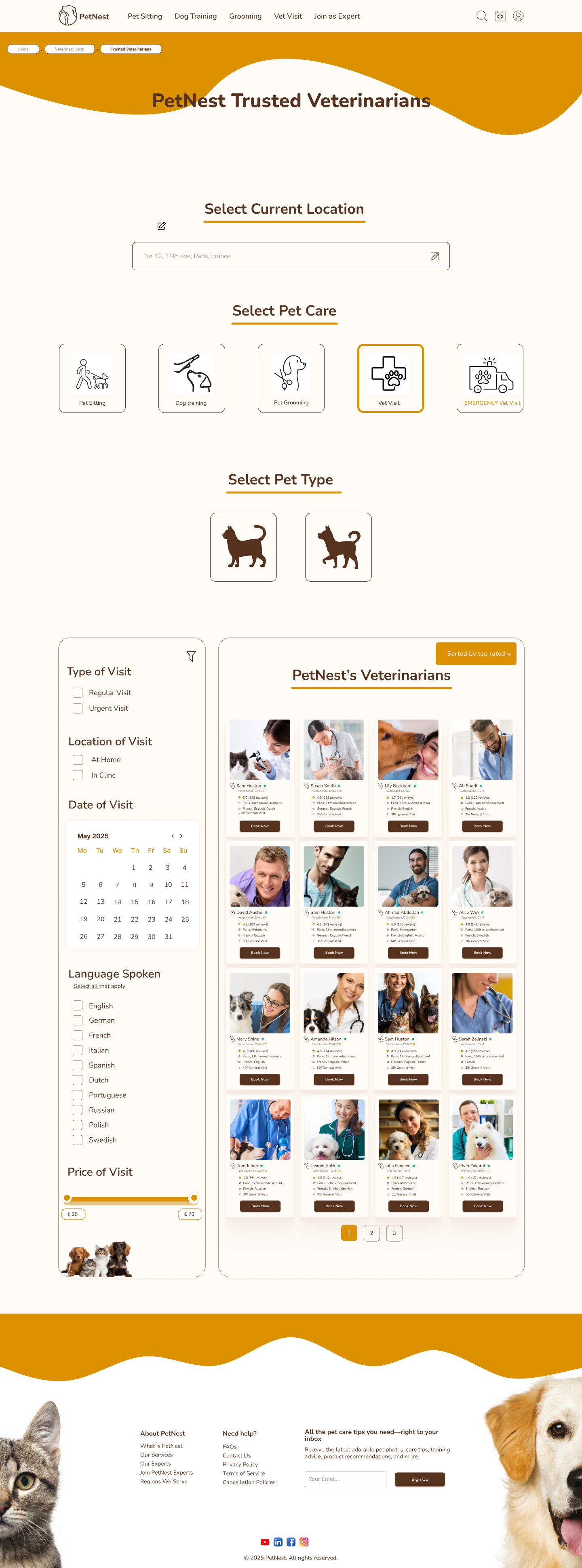
The flow asked users to make several selections before reaching the results, creating extra scrolling and making the veterinarian list feel secondary.
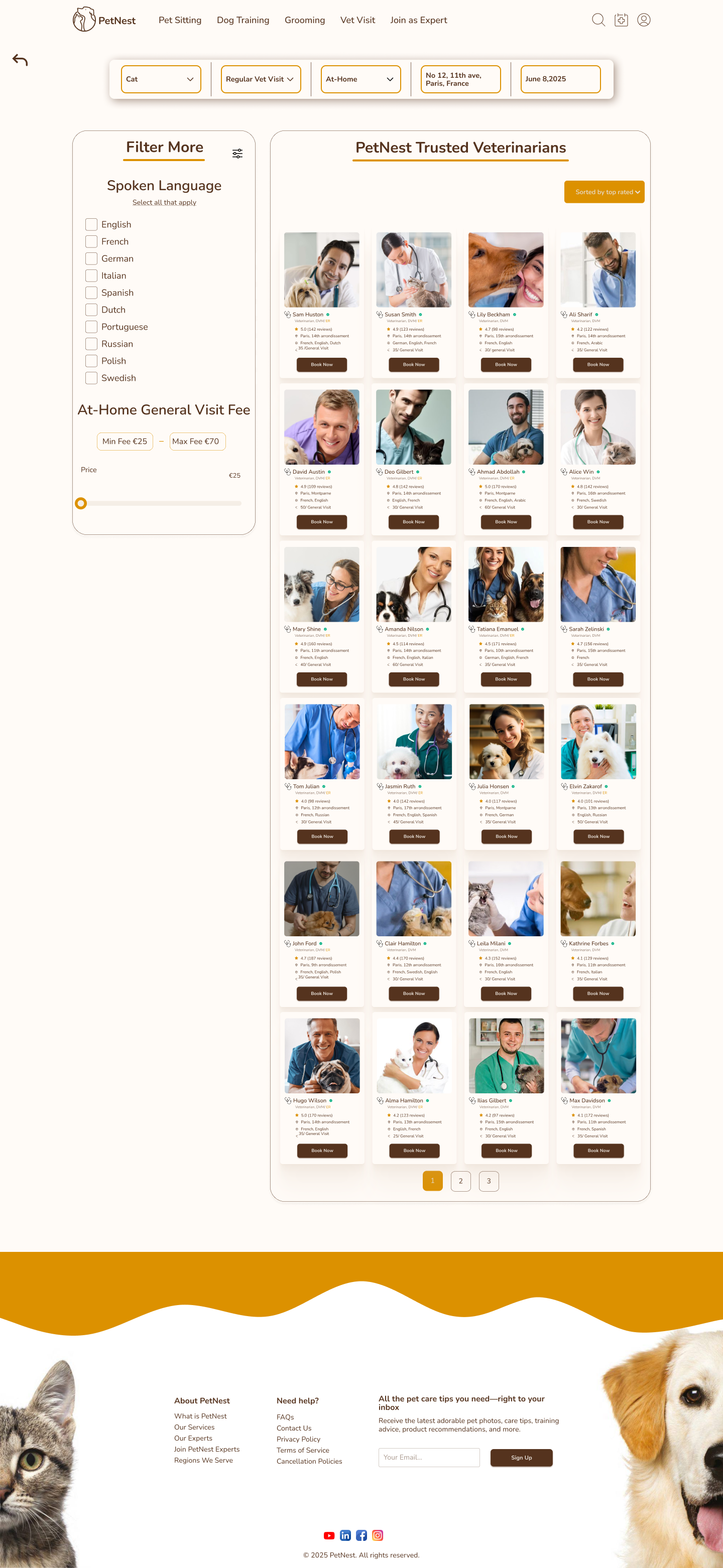
Primary criteria moved into a top filter bar, while language and price were grouped into a secondary filter panel next to the results.
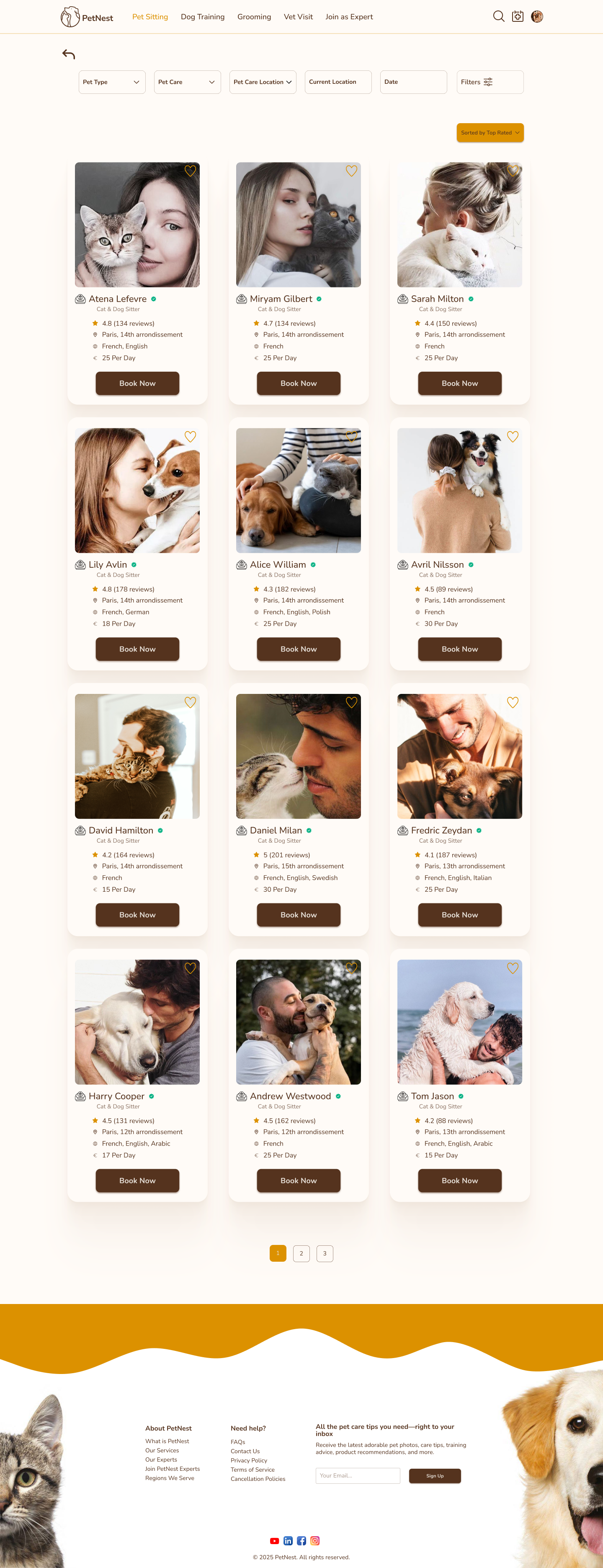
The final version prioritizes the expert cards, keeps filtering available but less heavy, and makes comparison easier with larger imagery and clearer booking actions.
Filtering changed from a multi-section setup task into a compact control area above the results.
Expert cards became larger and easier to scan, with ratings, location, languages, price, and booking actions grouped consistently.
The final page keeps filters accessible through a dedicated control without letting the filter panel dominate the browsing experience.
Pet owner web · Vet profile and booking
The vet info page evolved from a dense profile-and-form layout into a clearer booking decision page where trust signals, availability, add-on care, and reviews are easier to understand.
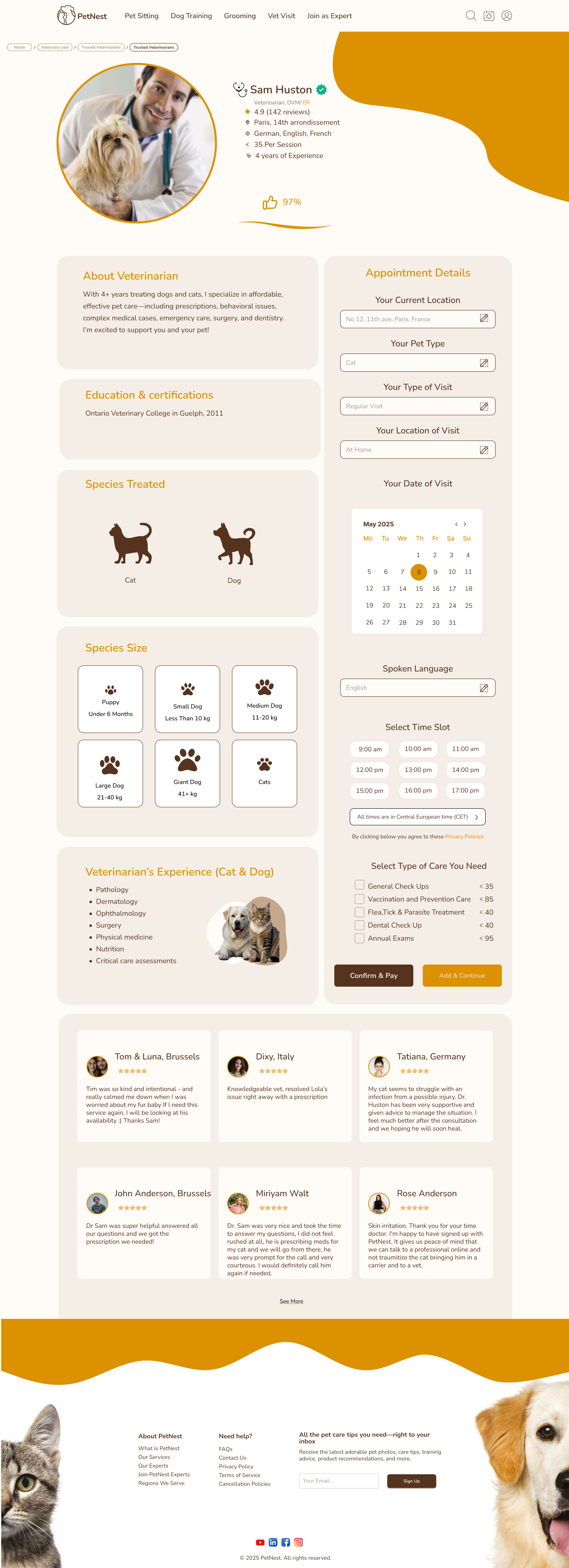
The appointment panel carried too many decisions at once, mixing location, pet type, visit type, calendar, language, time slots, services, and payment actions.
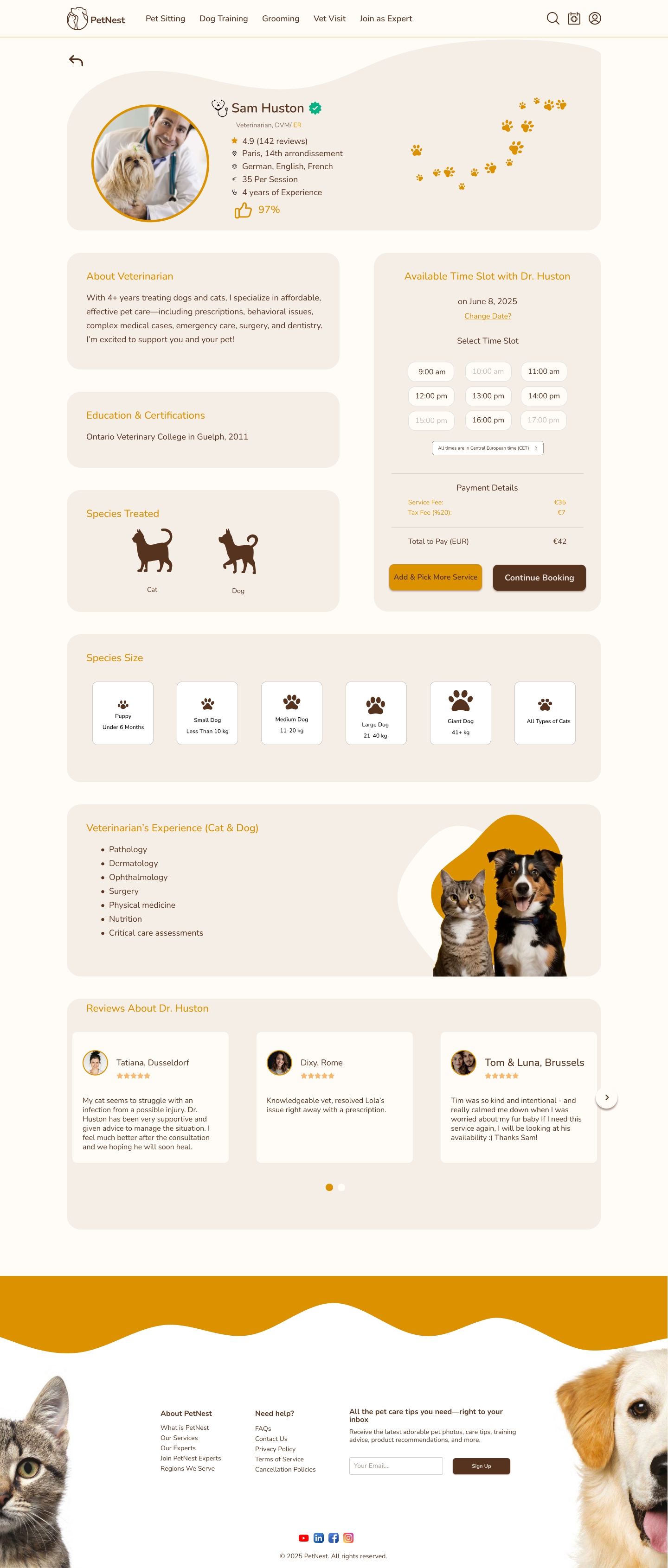
The page separated profile trust content from booking decisions, reduced the appointment panel to time slot and payment details, and made reviews more focused.
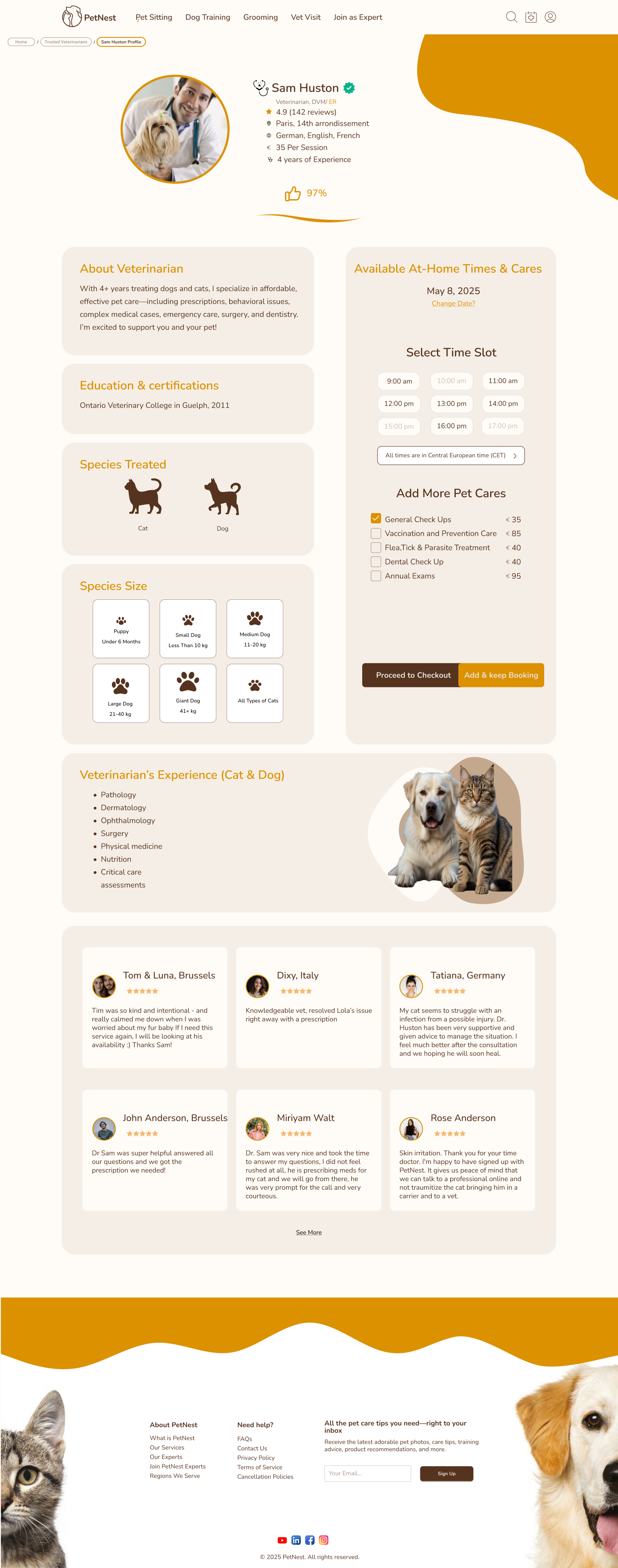
The final version makes the booking choice more explicit: users select a time, add optional care services, then choose whether to checkout or keep booking.
The booking panel shifted from a full form into a focused appointment module with fewer simultaneous choices.
The profile hero, rating, approval signal, experience, species treated, and reviews became easier to scan before booking.
Add-on services moved into a clearer checklist so owners can understand the total visit and add more care without restarting.
Mobile app · Homepage
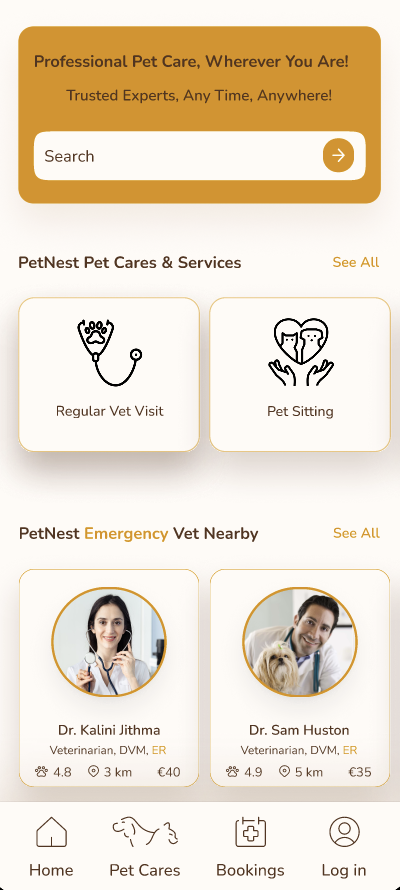
The app homepage moved from a broad content feed into a clearer mobile entry point for finding pet-care services, nearby experts, bookings, learning content, and account actions.
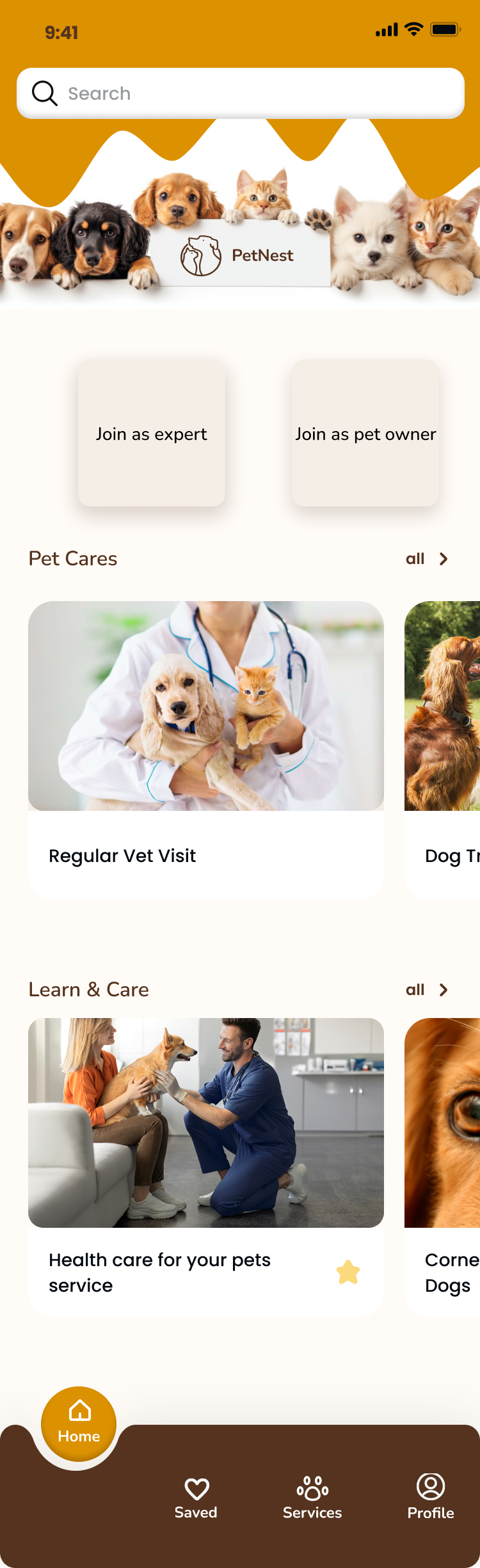
The homepage mixed onboarding, browsing, and content. The join cards competed with search, while the main pet-care action was pushed lower on the screen.

The entry point became more service-led: search moved up, core services were visible, and expert cards appeared by category.
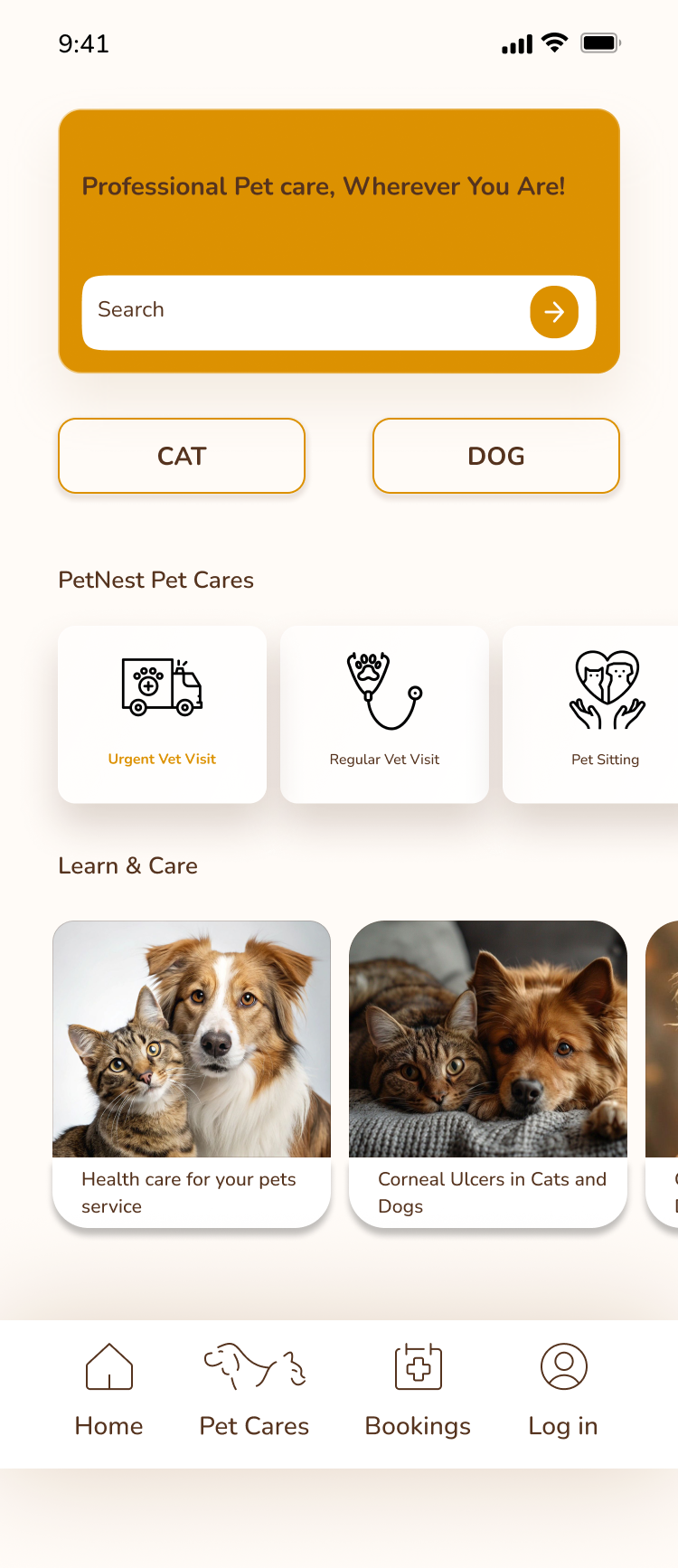
The page reduced repeated provider sections and introduced pet-type shortcuts, making the top of the page simpler and faster to scan.
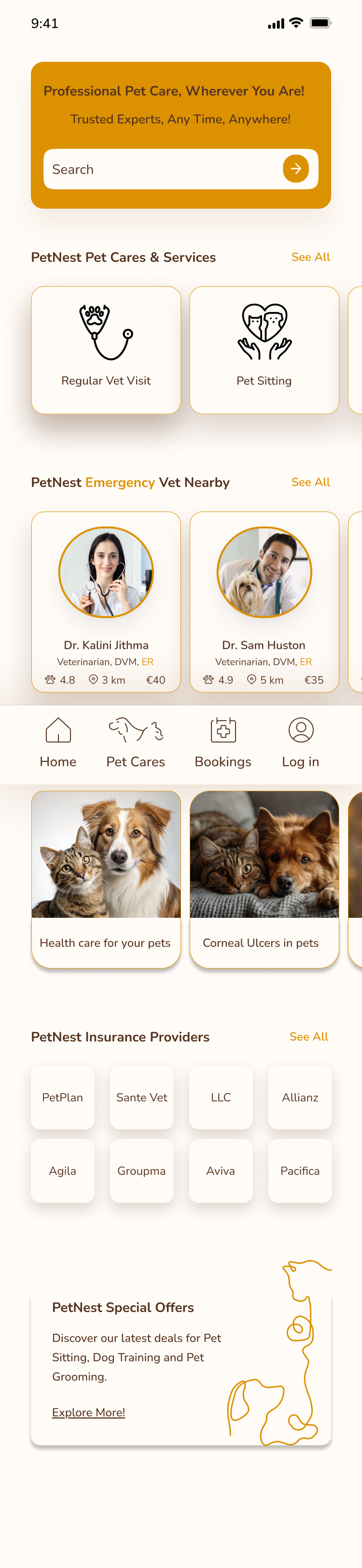
The final version balances immediate search, service discovery, nearby experts, education, insurance, and offers without making one long repeated list.
Search stayed near the top and became the main launch action instead of competing with onboarding choices.
Services, nearby experts, educational content, insurance, and offers became separate sections with clearer intent.
The final layout supports horizontal browsing and bottom navigation while reducing repeated cards and excessive scrolling.
Final Solution
The final direction brings expert discovery, pet profiles, appointments, and supporting services into a consistent experience designed for both desktop and mobile contexts.
Pet Owner Web Experience
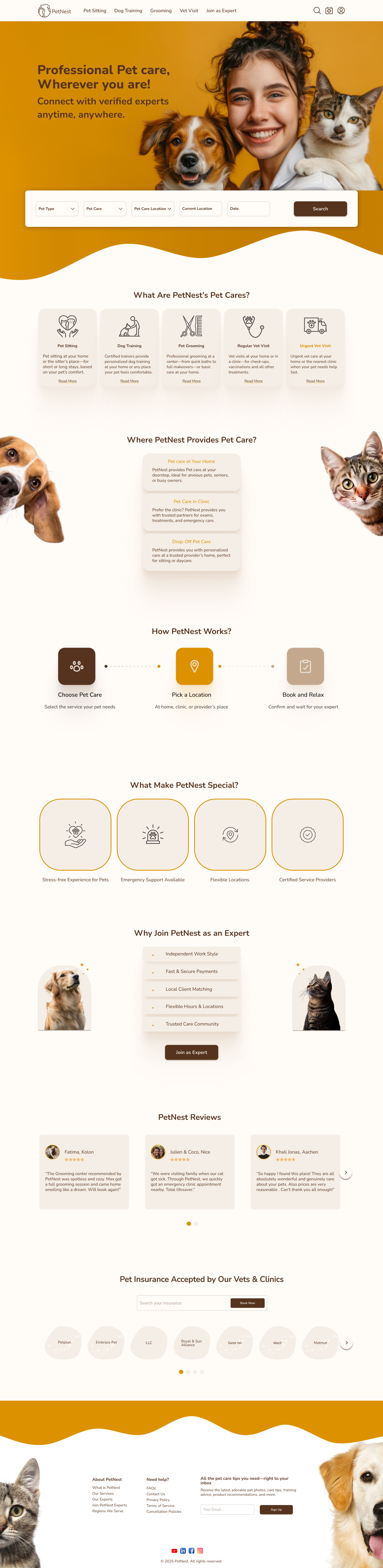
Introduces PetNest, surfaces key services, and turns search into the primary starting point.
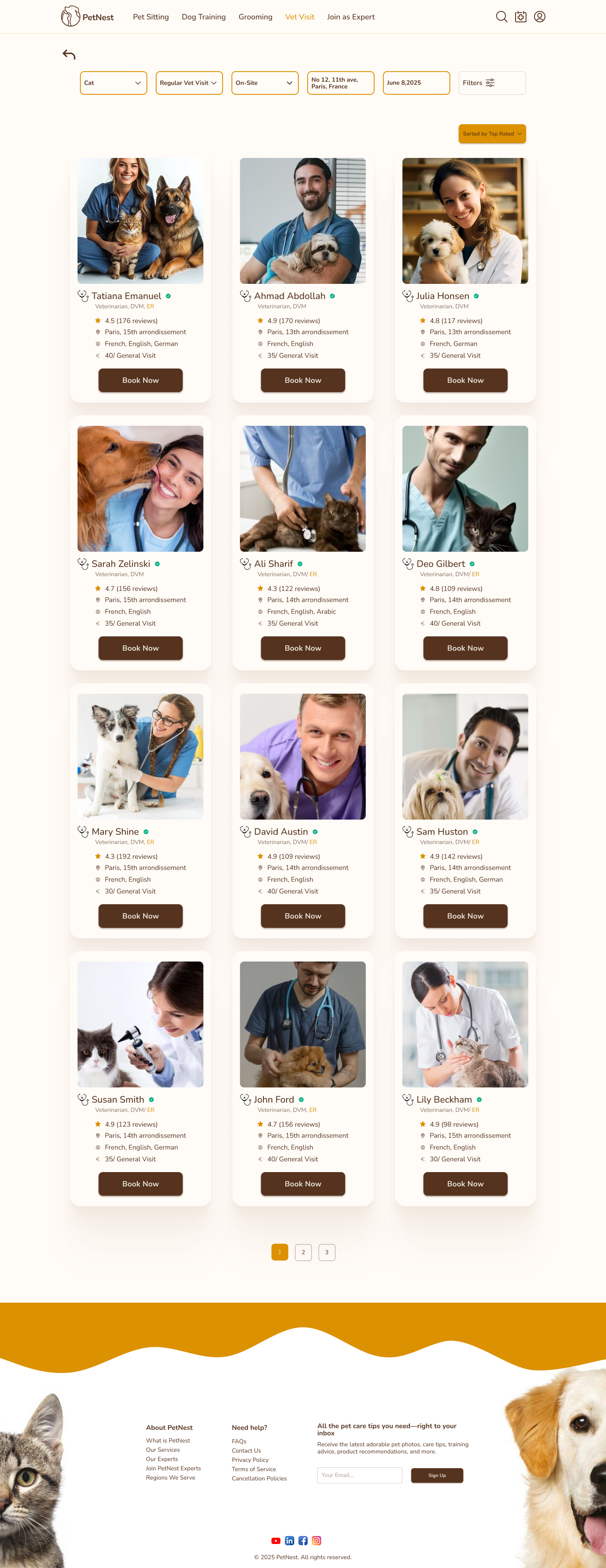
Helps owners compare experts quickly while keeping filters available at the top of the page.
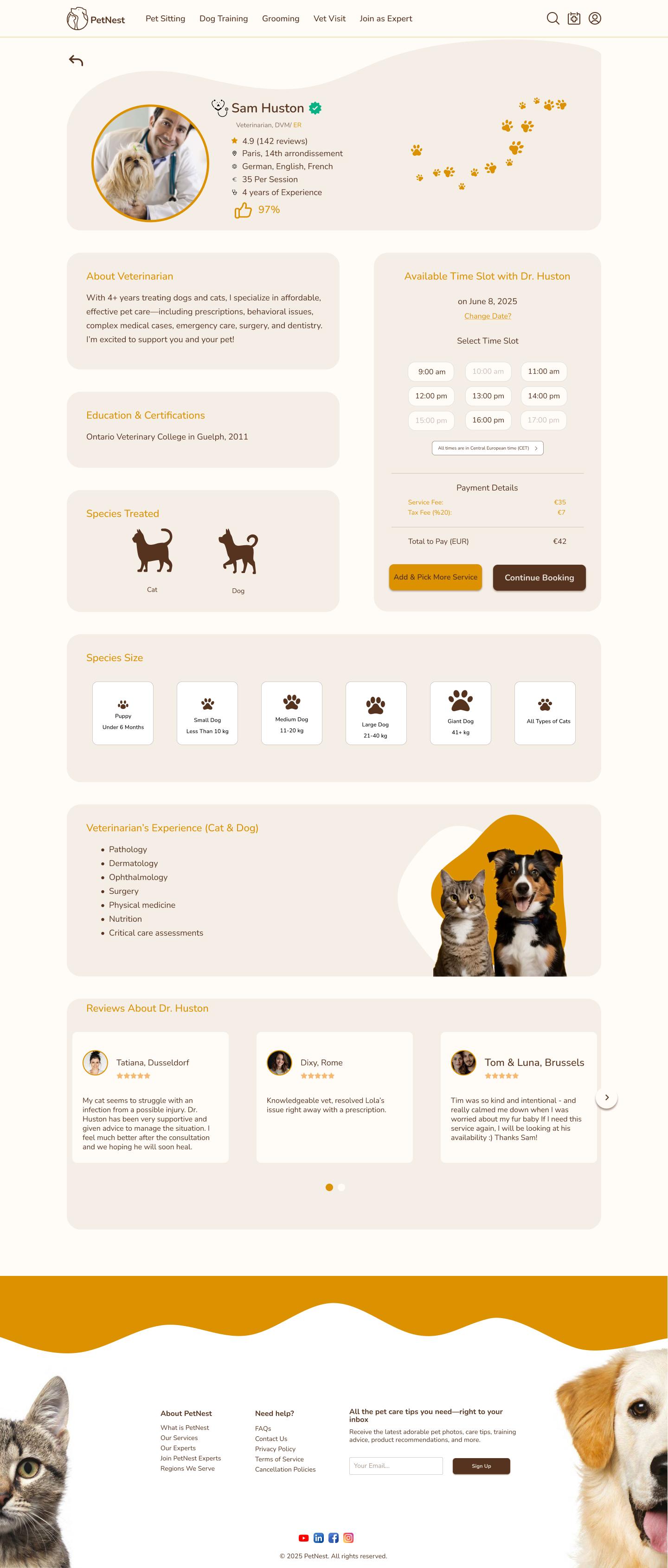
Combines trust signals, availability, care details, and reviews before the user continues booking.
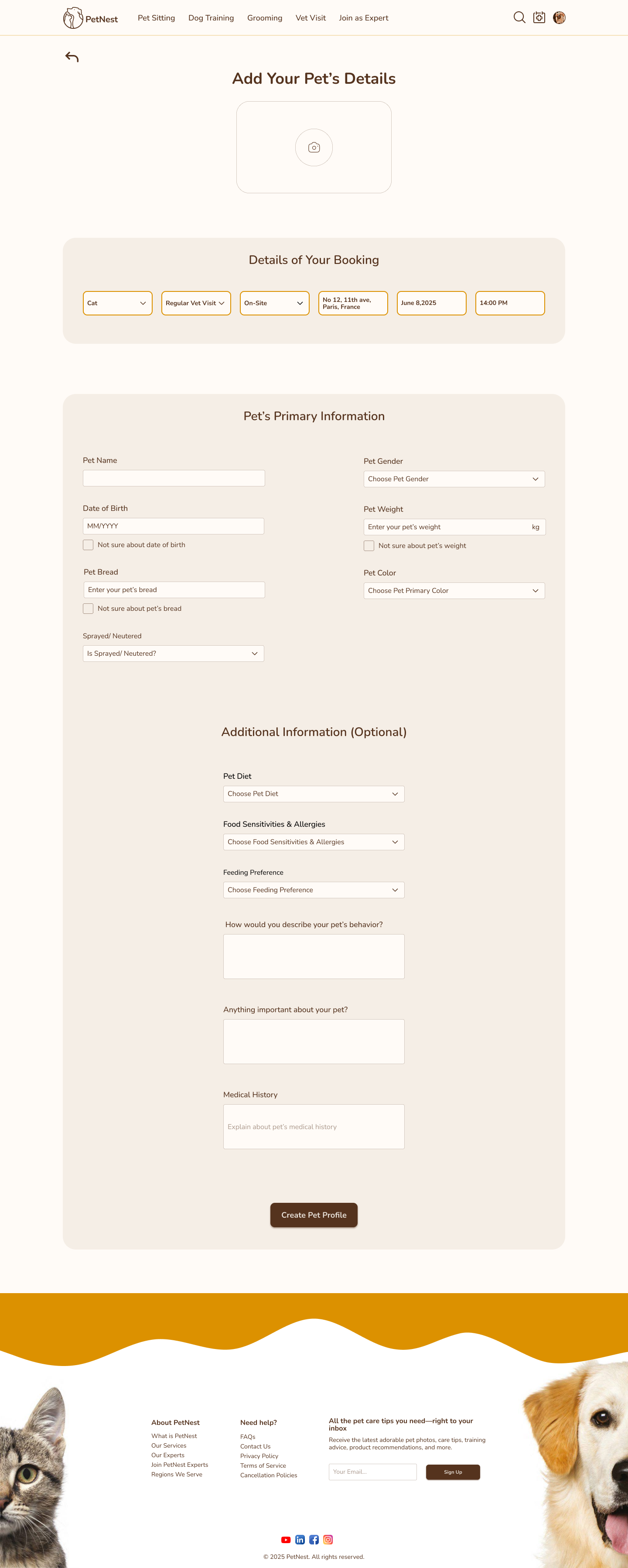
Collects reusable pet details once, reducing repeated input for future appointments.
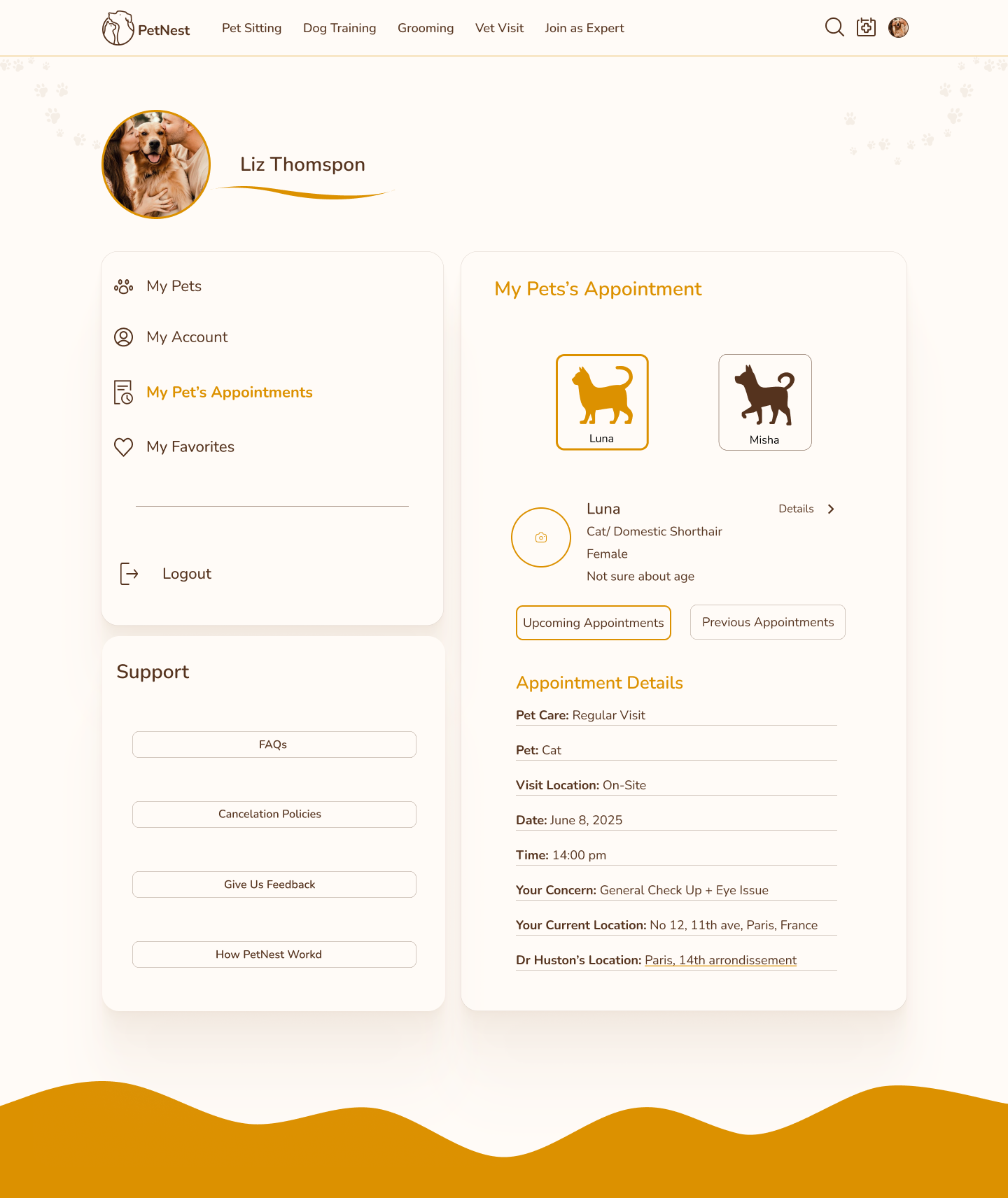
Gives owners a clear account view for scheduled care, pet context, and appointment details.
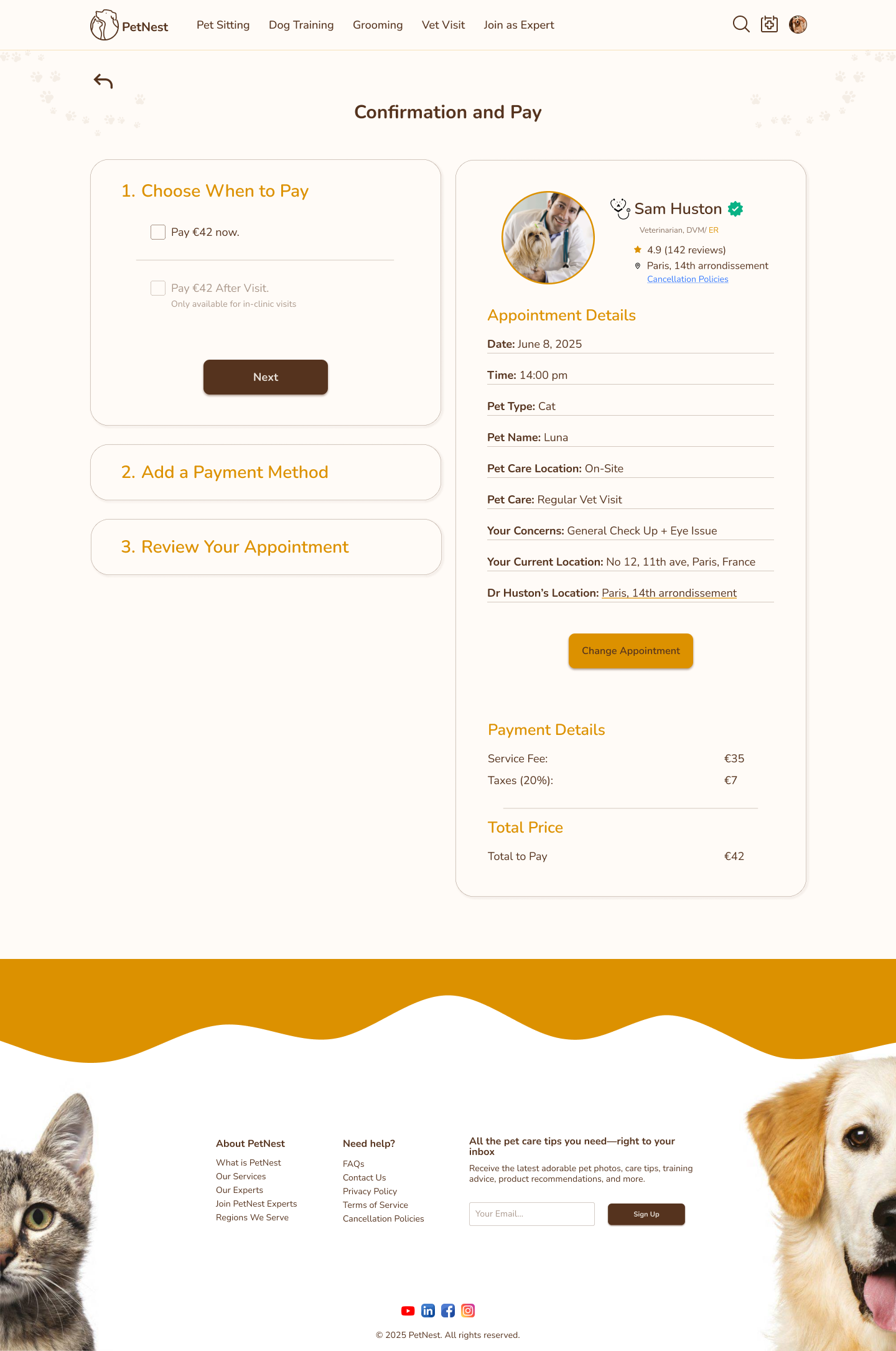
Closes the flow with payment choices, appointment review, provider details, and transparent cost.
Service Provider App Experience
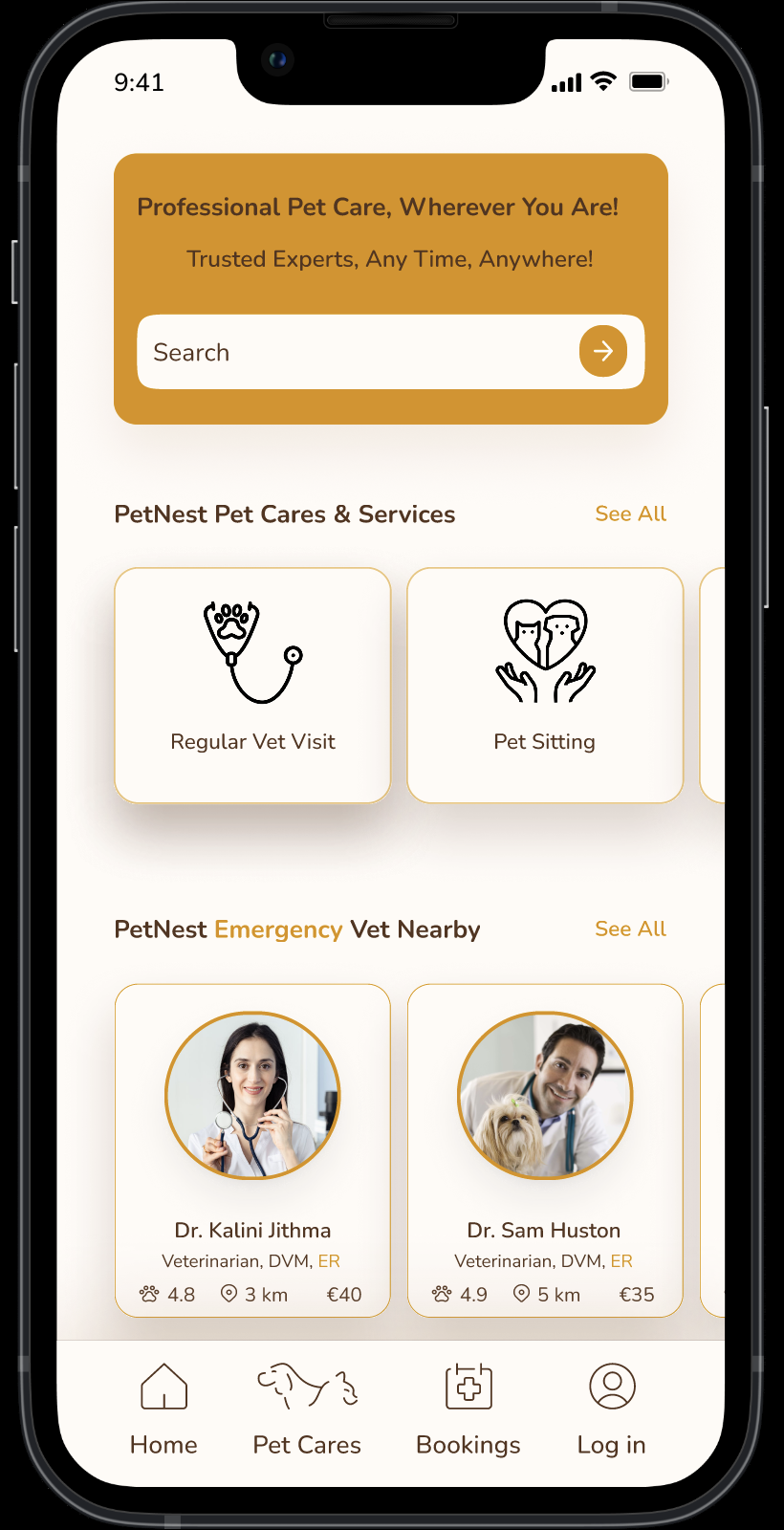
Gives mobile users a fast starting point for services, search, nearby vets, and bookings.
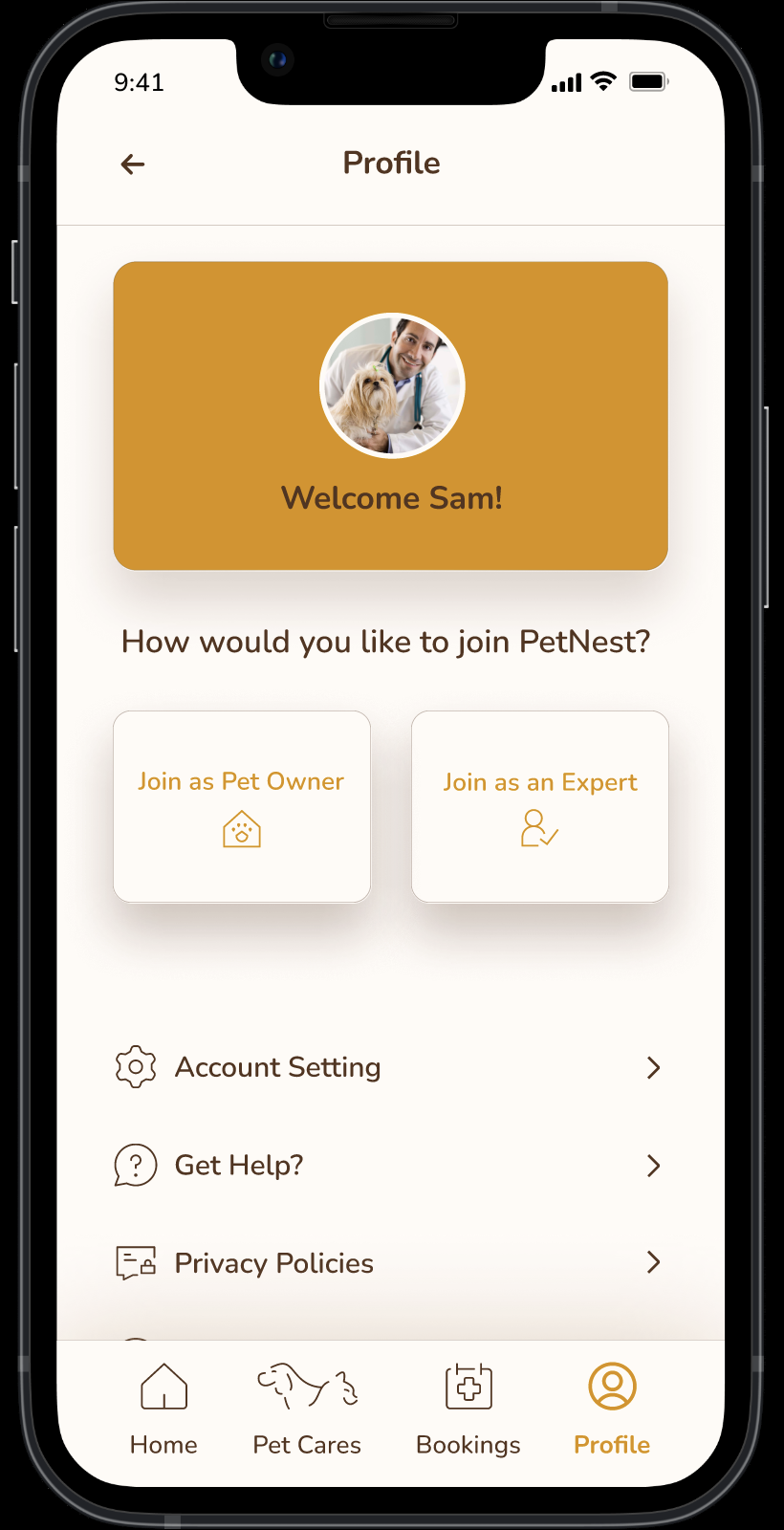
Separates owner and expert paths so users can choose the right role before setup.
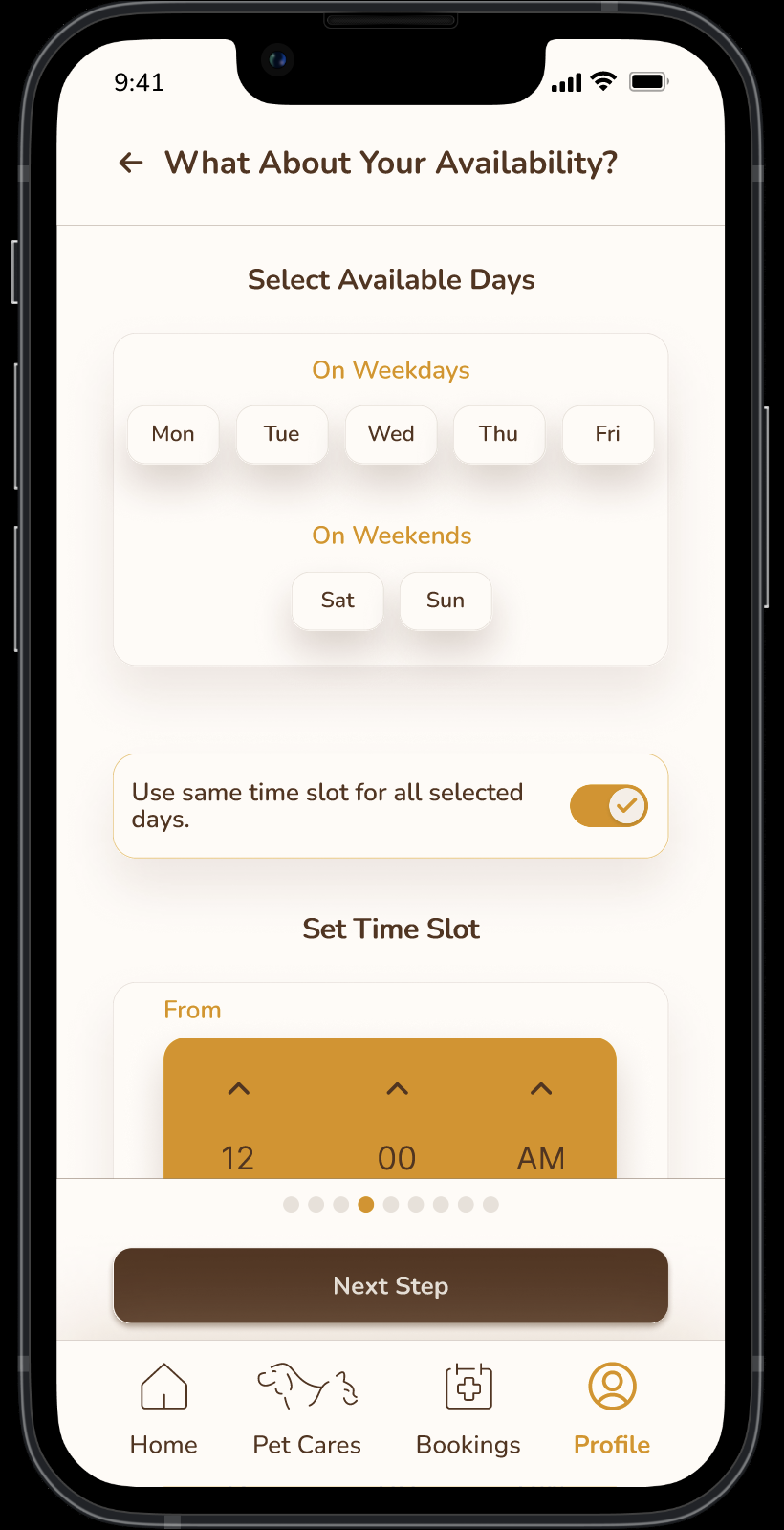
Lets providers define available days and time slots in a focused mobile flow.
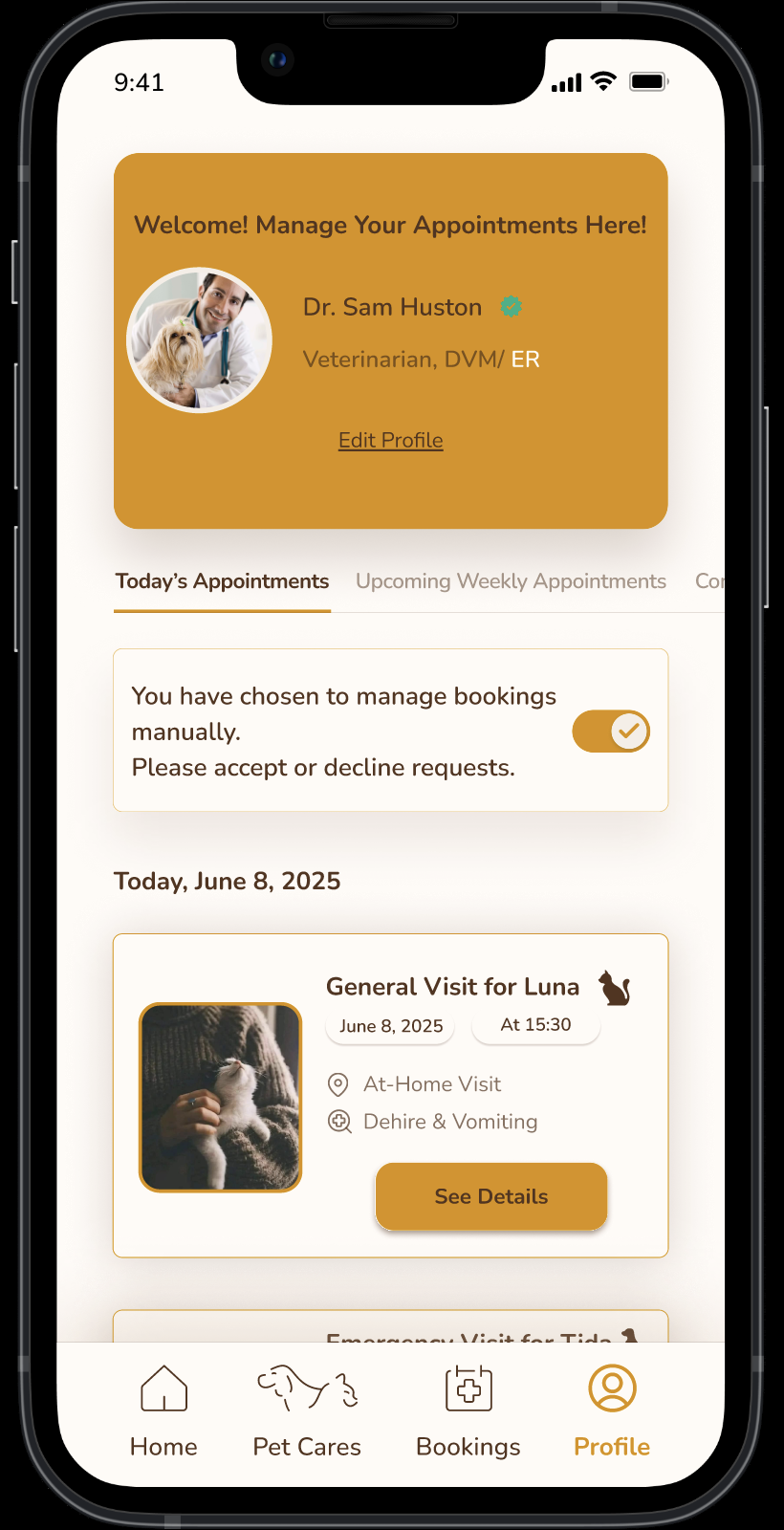
Surfaces appointment requests and makes manual accept-or-decline management visible.
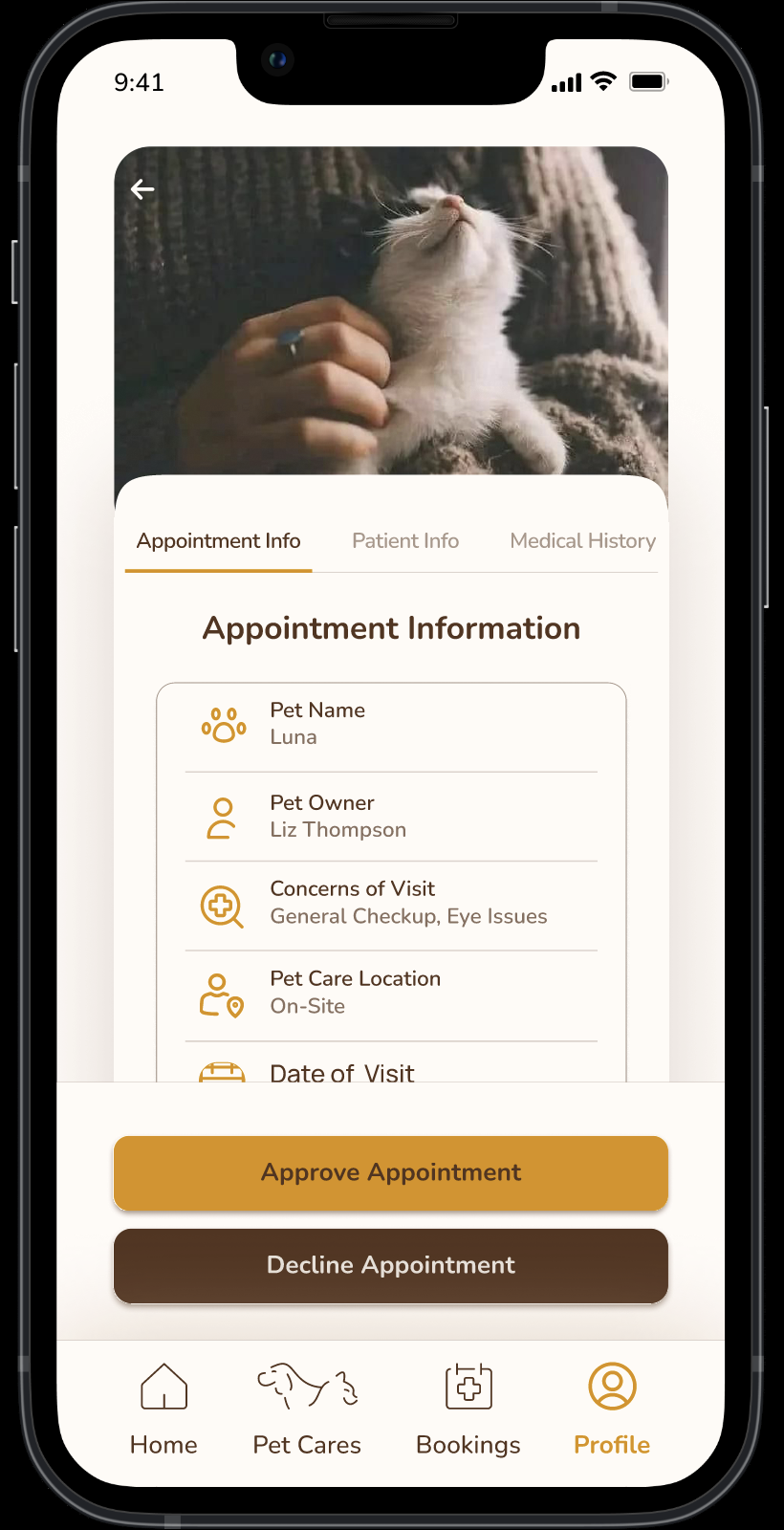
Shows visit context and gives providers clear approve or decline actions.
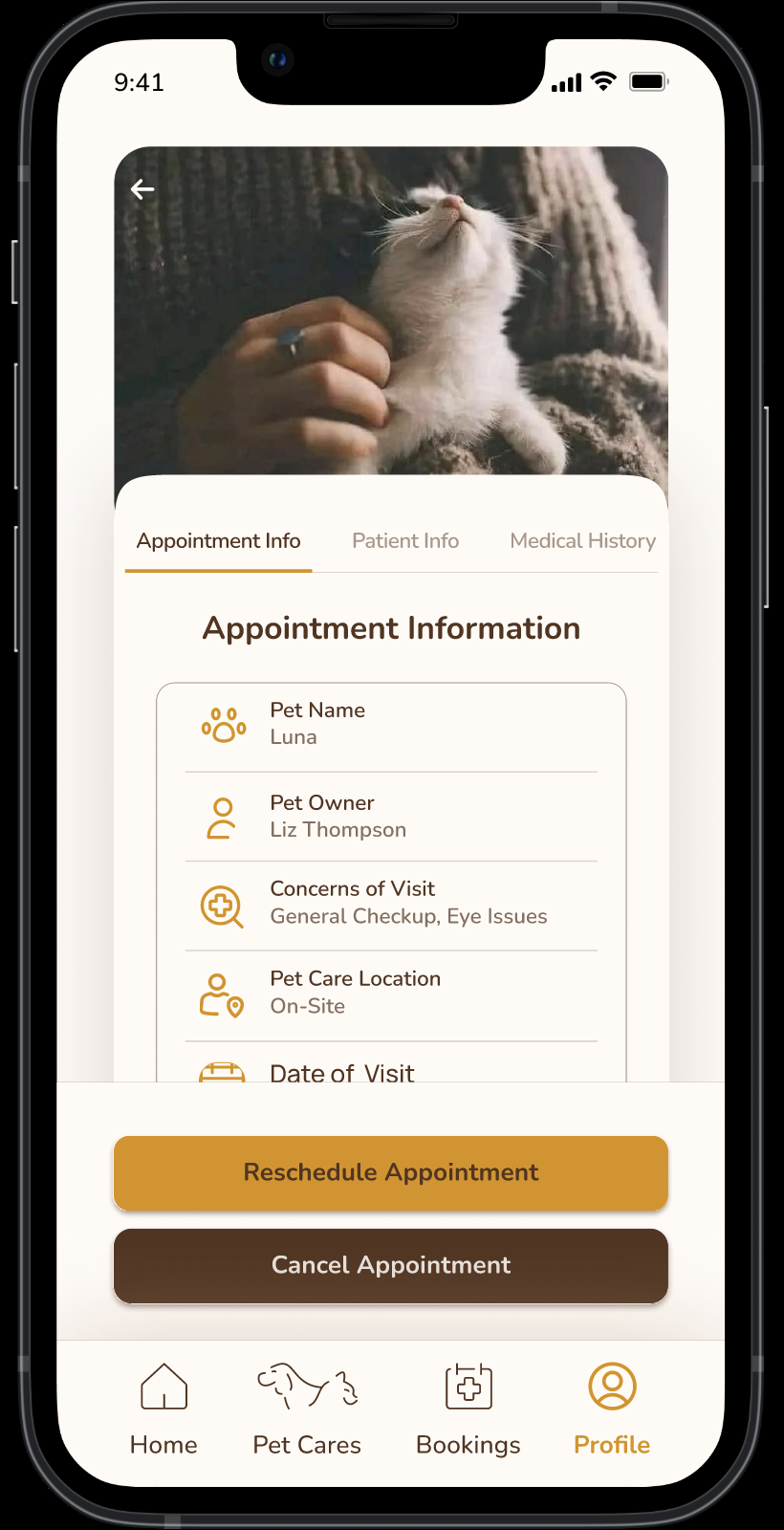
Supports follow-up changes with reschedule and cancel actions in the same detail view.
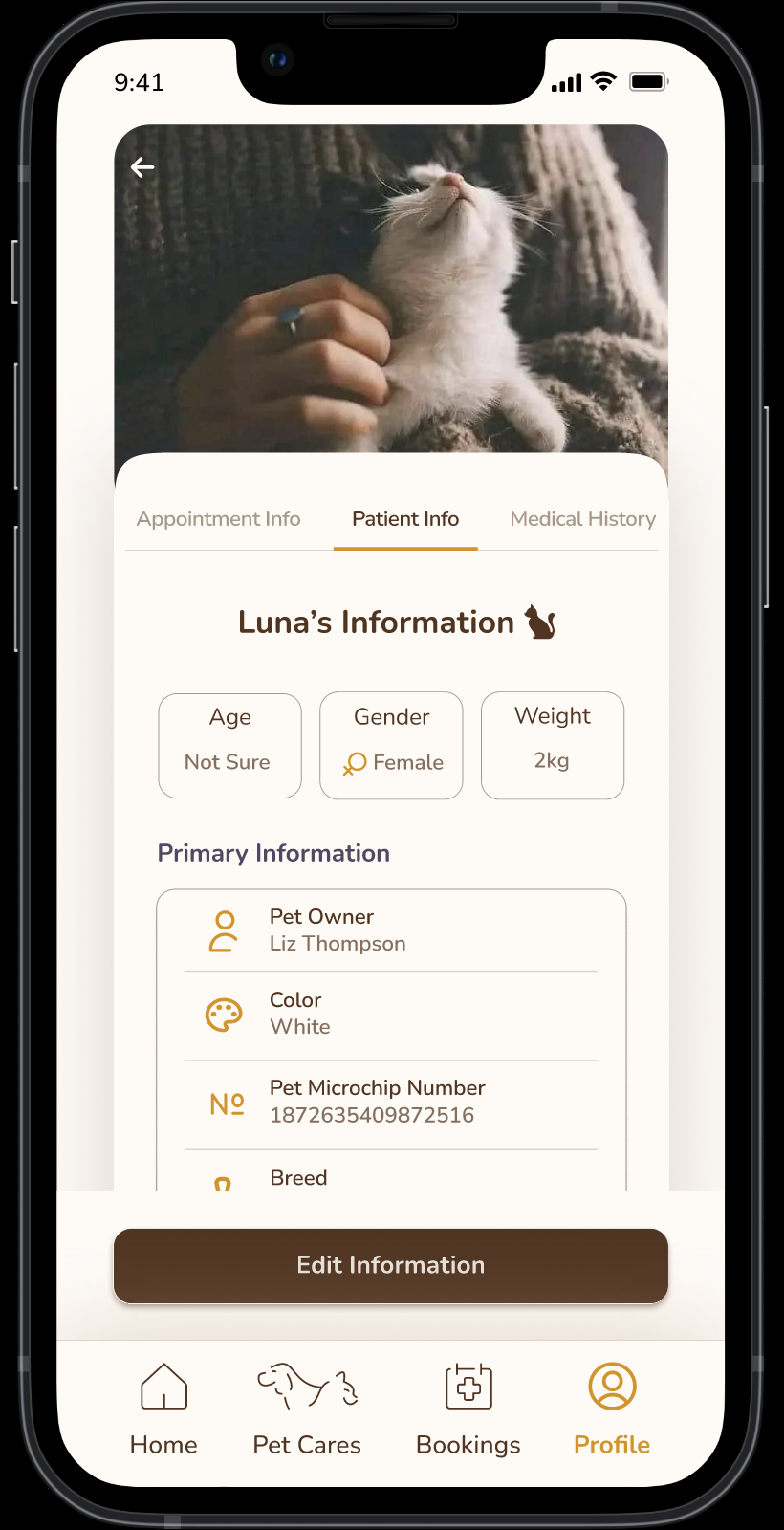
Keeps pet details close to the appointment so providers can review the case quickly.
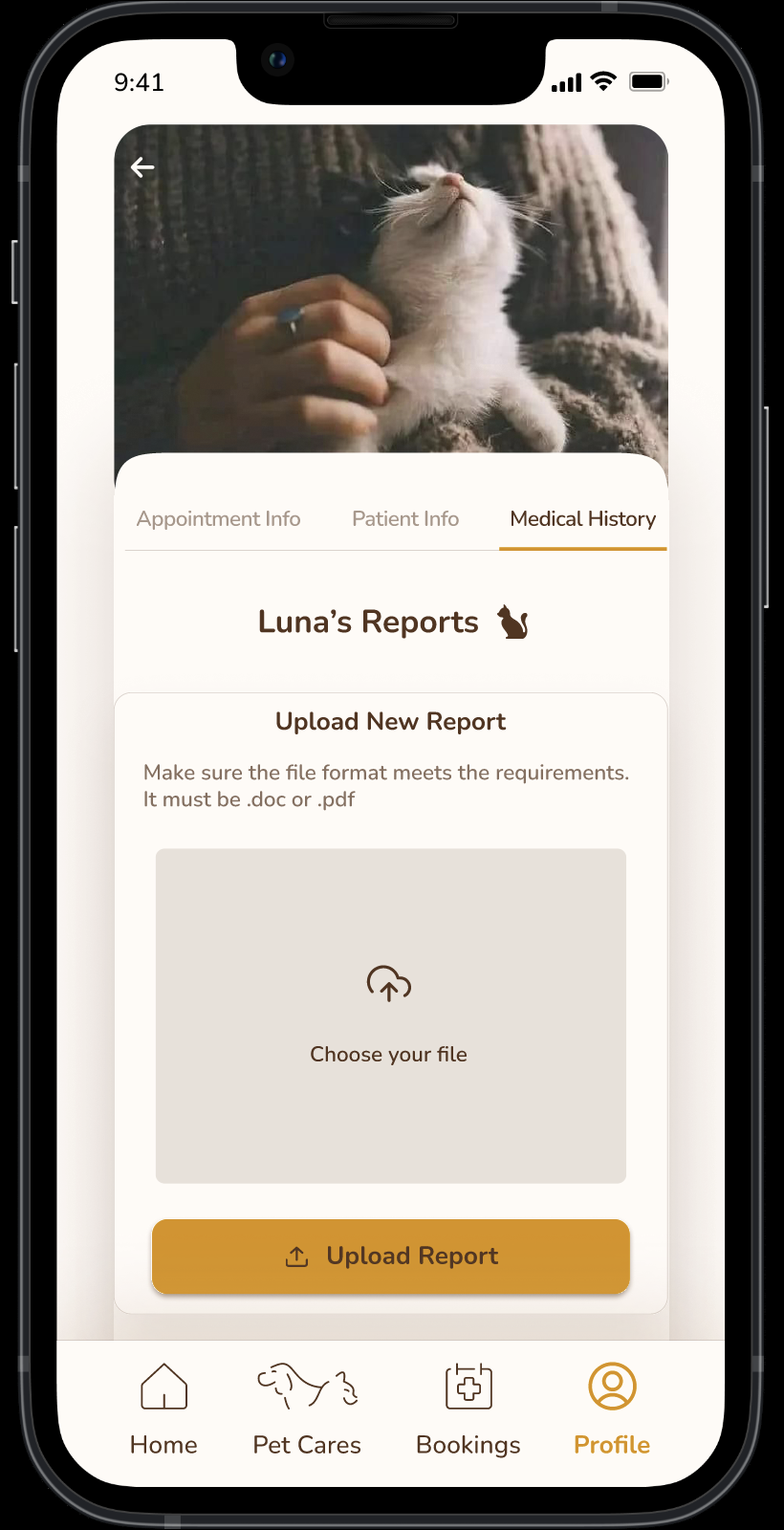
Allows providers to review or upload supporting records from the appointment flow.
Impact
The project did not include live product metrics, so the impact is framed around the design improvements created through research, iteration, and final screen decisions.
Reflection
Trust is not a separate feature. It must be designed into language, hierarchy, expert information, and every moment where users make a care decision.
I would broaden validation across different pet-owner profiles and compare how routine versus urgent scenarios change user priorities.
Confirm usability findings with real participants, measure task success, refine service comparison, and validate the handoff with development.